How to extract embedded file attachments from PDF (free and secure)
Quick summary
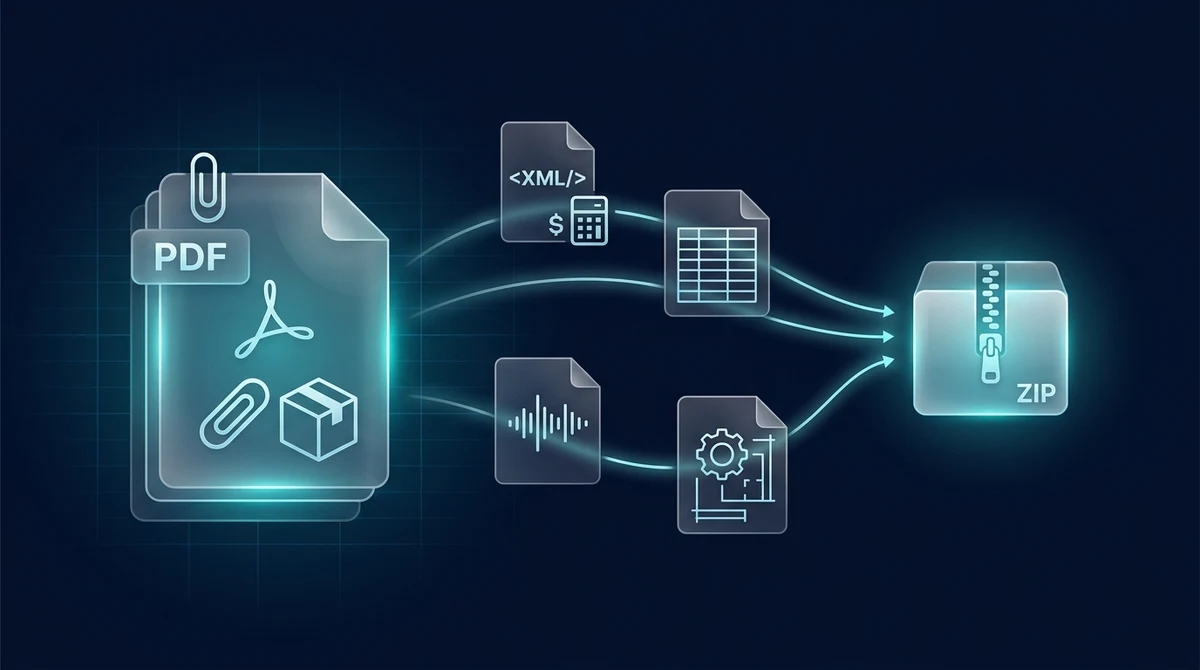
To extract embedded file attachments from a PDF online for free, you unpack secondary binary files stored inside the document container under ISO 32000 specifications. Using the AZ2PDF Extract Attachments tool, you can retrieve hidden electronic invoices (ZUGFeRD, Factur-X XML), research datasets, CAD models, and supplementary files into a downloadable ZIP archive in seconds, with zero software fees, no account sign-up, and complete memory privacy.
- Retrieve invisible files: Extract machine-readable XML invoices, raw spreadsheets, CAD drawings, and media clips embedded inside PDF containers that standard web browsers cannot display.
- Universal browser compatibility: Works across all platforms including Chrome, Safari, Edge, Mac, Windows, iOS, and Android without requiring Adobe Acrobat Pro subscriptions.
- Complete binary fidelity: Preserves exact filenames, original file extensions, MIME types, and binary streams without recompression or encoding corruption.
- 100 percent free with instant in-memory processing: AZ2PDF unpacks attachments directly in volatile server RAM with zero cost, no registration, no watermarks, and automatic data deletion within 5 minutes.
Why do web browsers and mobile readers fail to show attachments?
Have you ever received a PDF invoice or technical report, were told that supplementary spreadsheets or XML documents were attached inside it, but could not find any way to access them? You are not alone, and your PDF file is not broken.
Modern web browsers such as Google Chrome, Apple Safari, Microsoft Edge, and Mozilla Firefox include built-in PDF viewers designed for one primary goal: rendering visual text and graphics as quickly and safely as possible. Because their job is fast document previewing, browser vendors intentionally omit advanced document inspection panels, including the attachments panel.
There are two key reasons why standard viewers hide or fail to extract attachments:
- Security sandboxing: Web browsers enforce strict isolation policies to protect users from malicious payloads. Allowing browser tabs to automatically unpack and execute arbitrary file streams embedded inside PDFs introduces severe attack vectors. Consequently, browser viewers simply ignore the internal attachment tree.
- Simplified mobile interfaces: Built-in previewers on iOS and Android prioritize lightweight memory usage. Rendering visual page streams consumes modest memory, whereas indexing and unpacking multi-megabyte embedded auxiliary files would slow down mobile devices.
Because everyday viewers keep these files invisible, recipients often assume the sender forgot to attach the files. Using a dedicated document extraction utility like AZ2PDF free online PDF tools solves this dilemma instantly by parsing the internal document tree and retrieving every embedded asset.
Common types of embedded PDF attachments: Invoices, datasets, and CAD
Embedded attachments have become standard infrastructure across multiple major industries. Understanding where they are used helps you identify when a document holds hidden valuable data:
1. Electronic invoicing standards (ZUGFeRD, Factur-X, and FatturaPA)
The most widespread modern application of PDF attachments is European and international electronic invoicing. Standards such as ZUGFeRD in Germany, Factur-X in France and Germany, and Peppol BIS 3.0 combine two formats in one:
- A visual PDF/A-3 page that human accounting clerks can read, verify, and print.
- An embedded machine-readable XML file (typically named
factur-x.xmlorzugferd-invoice.xml) containing structured itemized pricing, tax breakdowns, IBAN numbers, and supplier metadata.
Automated Enterprise Resource Planning (ERP) systems like SAP, Oracle NetSuite, and QuickBooks extract this embedded XML to eliminate manual data entry. If your accounting software cannot read the hybrid PDF directly, extracting the XML attachment manually is essential.
2. Scientific research papers and peer-reviewed journals
Academic publishers (such as Nature, IEEE, and Elsevier) encourage researchers to bundle raw experimental datasets directly inside the published PDF thesis. These attachments often include CSV spreadsheets, Python replication scripts, genomic FASTA sequences, and high-resolution microscopy images, ensuring complete academic reproducibility without relying on dead external hyperlinks.
3. Architectural, engineering, and construction packages
Engineering bids and architectural submittals frequently package heavy supplementary deliverables inside the core contract PDF. Project managers embed AutoCAD blueprints (.dwg, .dxf), 3D interactive models (PRC or U3D format), bill-of-materials spreadsheets, and environmental impact assessments directly into the main proposal.
4. Legal exhibits, court discovery, and regulatory filings
Law firms and government compliance agencies use PDF containers to compile complex evidentiary dockets. Rather than sending dozens of disjointed files over email, a master legal memorandum embeds deposition audio recordings (.mp3, .wav), photographic evidence, chain-of-custody certificates, and supplementary affidavits.
Comparing extraction methods: In-browser tools vs. Acrobat Pro vs. CLI
When you need to retrieve files trapped inside a PDF, you have several distinct technical routes. Understanding their trade-offs helps you choose the right approach for your budget and technical expertise:
Option 1: Modern online extraction utilities (AZ2PDF)
The fastest and most accessible solution is an automated web utility like AZ2PDF Extract Attachments. The platform parses the internal ISO 32000 document object tree, locates all embedded files, and bundles them into an organized ZIP archive. It is 100 percent free with unlimited usage, requires no user account or email sign-up, and processes documents in volatile server RAM with automated 5-minute permanent file deletion.
Option 2: Commercial desktop software (Adobe Acrobat Pro)
Adobe Acrobat Pro provides a dedicated Attachments panel (represented by a paperclip icon on the left navigation bar). Users can right-click any listed file and select Save Attachment. However, Acrobat Pro requires an expensive recurring subscription costing over $239 per year. For individuals, small businesses, or contractors who only need to extract attachments occasionally, paying for Acrobat Pro is impractical.
Option 3: Command-line utilities (Poppler pdfdetach and QPDF)
For software developers and Linux system administrators, open-source command-line tools provide scriptable extraction. For example, the Poppler suite includes pdfdetach, which allows users to run commands like pdfdetach -list document.pdf and pdfdetach -saveall document.pdf. While powerful for automated batch scripts, command-line utilities require terminal installation, package managers, and technical proficiency that everyday office workers rarely possess.
Option 4: Traditional cloud upload services
Many legacy conversion websites offer attachment unpacking, but they typically operate behind restrictive freemium paywalls. They often impose strict file size limits, enforce artificial processing delays, demand your personal email address, or store your documents on remote servers for hours. For sensitive financial invoices or confidential legal records, these cloud services introduce serious privacy risks.
After auditing extracted files, you can conveniently embed new portfolio files and supplemental exhibits to update portfolio packages with revised attachments before re-distribution.
How to extract PDF attachments in 3 simple steps
Unpacking hidden files from your PDF takes only a few seconds or click the file picker button to select the document from your computer, Google Drive, or phone storage.
Step 2: Automated dual-scan extraction
Once selected, the extraction engine immediately inspects the document structure. It runs a comprehensive dual-scan that interrogates both the document catalog name tree (for embedded files) and individual page annotation tables (for paperclip-annotated assets). Every embedded binary stream is isolated and verified.
Step 3: Download your organized ZIP archive
Click the Download button. The tool packages all recovered attachments into a single, clean ZIP file named after your original document. Extract the ZIP on your computer or phone to access your raw XML invoices, Excel sheets, images, or media files with original filenames and file extensions perfectly intact.
Technical anatomy: How PDF stores embedded files under ISO 32000
To understand why extraction tools succeed where web browsers fail, it helps to examine how the PDF specification organizes embedded data under the hood.
In the ISO 32000 standard, attachments are not stored as loose bytes. They are represented through a rigorous hierarchy of indirect objects and dictionaries:
1. Document-level embedded files (The Names dictionary)
The vast majority of modern attachments (including ZUGFeRD and Factur-X invoices) are document-level attachments. The PDF Document Catalog (the /Root object) contains a /Names dictionary. Within this dictionary resides the /EmbeddedFiles name tree, which maps unique text identifiers to File Specification dictionaries (/Type /Filespec).
A typical File Specification dictionary looks like this in raw PDF PostScript syntax:
<<
  /Type /Filespec
  /F (factur-x.xml)
  /UF (factur-x.xml)
  /EF << /F 12 0 R >>
  /Desc (Electronic Invoice Data according to Factur-X standard)
>>
The /F and /UF keys record the filename in standard ASCII and Unicode formats. Crucially, the /EF (Embedded Files) key points to an indirect reference (here, object 12 0 R), which contains the actual binary data stream.
2. Embedded file streams and compression parameters
The referenced stream object contains the raw binary payload wrapped in compression filters (almost universally /FlateDecode, based on the zlib/deflate algorithm). Additionally, it contains a /Params sub-dictionary recording metadata:
/Size: The uncompressed file size in bytes./CreationDate: The exact timestamp when the attached file was originally created./ModDate: The last modification date of the attachment./CheckSum: An optional 16-byte MD5 hash used to verify binary integrity after decompression.
3. Annotation-level attachments (FileAttachment annotations)
In older workflows and marked-up contracts, attachments are sometimes tied to a specific physical location on a page. These are stored in the page's /Annots array with /Subtype /FileAttachment. They display a visual pushpin or paperclip icon on the page canvas and open the associated file specification when clicked in compatible desktop readers.
4. Associated Files (/AF) in PDF 2.0 and PDF/A-3
Under PDF/A-3 and PDF 2.0, embedded files can also be linked to specific semantic elements (such as an entire document, a table, or an image) via the /AF array. This provides machine-actionable context, specifying whether the attachment is an alternative representation, source data, or supplementary documentation.
A robust extraction engine parses all of these variations, ensuring that no matter how the author attached the file, the binary stream is recovered without loss.
Manage embedded document containers securely with the AZ2PDF container and attachment extraction hub, ensuring that sensitive corporate attachments are unpacked in complete local privacy.
Troubleshooting and security precautions when working with PDF attachments
While extracting attachments is generally straightforward, encountering edge cases or security questions is common. Here are practical insights to keep your workflow smooth and secure:
1. Why is the downloaded ZIP archive empty?
If you process a PDF and the resulting ZIP file contains no documents, your PDF does not contain true binary file attachments. Common reasons include:
- The sender included a web hyperlink (e.g. a link to Dropbox or Google Drive) styled to look like an attachment button.
- The sender took a screenshot of an email attachment icon and pasted it into the document as a static picture.
- The file was printed to PDF using a basic virtual printer, which stripped out all internal document dictionaries and flattened the file into plain raster pages.
2. Handling password-protected or restricted PDFs
If a PDF is encrypted with an open password, the extraction engine cannot decrypt the document catalog without the password. If the PDF has permission restrictions (such as copying or extraction disallowed), you will need to unlock or decrypt the document permissions before the attachments can be read.
3. Safe handling of untrusted attachments
Because PDF containers can encapsulate any file type, malicious actors occasionally use PDF attachments to bypass email gateway filters. When extracting attachments from unknown or unsolicited senders, always exercise caution:
- Inspect file extensions inside the extracted ZIP before opening them. Be cautious of executable extensions such as
.exe,.bat,.vbs, or macro-enabled Office files (.xlsm,.docm). - Legitimate business attachments are typically standard data formats like
.xml,.csv,.xlsx,.pdf,.png, or.dwg. - Scan extracted files with up-to-date endpoint antivirus protection before opening them.
Manage embedded document containers securely with the AZ2PDF container and attachment extraction hub, ensuring that sensitive corporate attachments are unpacked in complete local privacy.
❓ Frequently asked questions
Yes. AZ2PDF Extract Attachments is 100 percent free with unlimited file processing. There are no subscriptions, no credit card requirements, no account sign-ups, and no watermarks added to your documents.
Related articles in this topic
Deep dive into related document organization and page manipulation workflows.
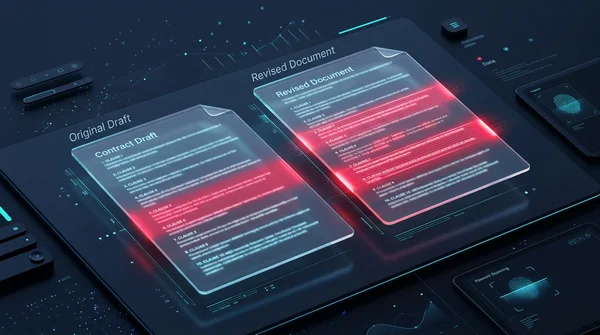
How to compare two PDF files for differences online (free and secure)
Learn how to compare two PDF documents online for free. Spot text changes, clause edits, and visual differences side by side without Adobe Acrobat.
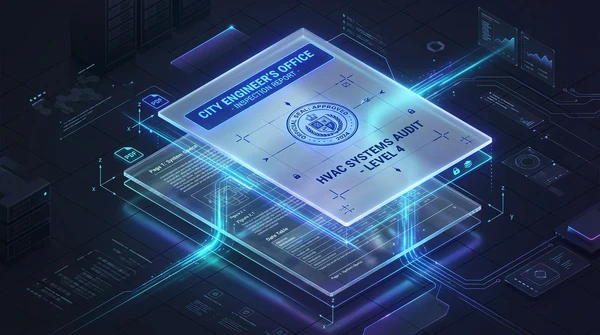
How to overlay and superimpose PDF documents online (free and secure guide)
Learn how to overlay PDF pages, add digital letterheads, stamp approval seals, and superimpose blueprint drawings online for free. Fast, secure, and private.
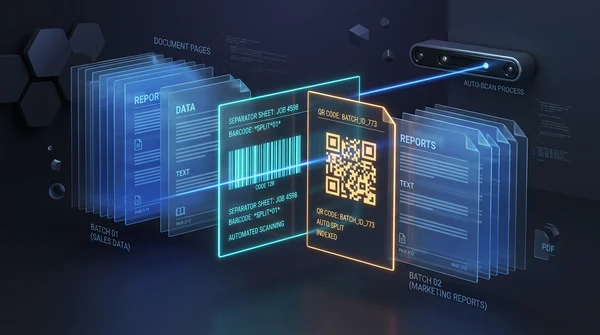
How to auto split PDF documents by barcode and QR code (free online guide)
Learn how to automatically split batch scanned PDF files using barcode and QR code divider sheets online for free. Organize high-volume scans with zero fees and full privacy.
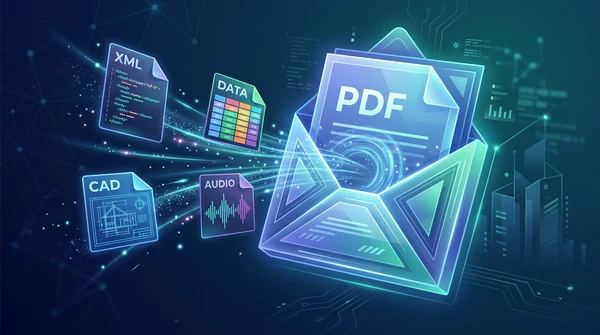
How to add file attachments to PDF online for free (step-by-step guide)
Learn how to add file attachments to PDF online for free. Embed Excel sheets, Factur-X XML invoices, CAD drawings, and audio files with full ISO 32000 privacy.
How to rotate and save PDF pages permanently online for free
Learn how to rotate sideways or upside-down PDF pages and save them permanently for free online. Fast, secure, and preserves 100% original document quality.
How to edit a PDF online without Adobe Acrobat (free and private)
Learn how to edit PDF text, add signatures, annotate documents, and white out sensitive details online without paying for Adobe Acrobat. Fast, free, and 100% private.