How to add file attachments to PDF online for free (step-by-step guide)
Quick summary
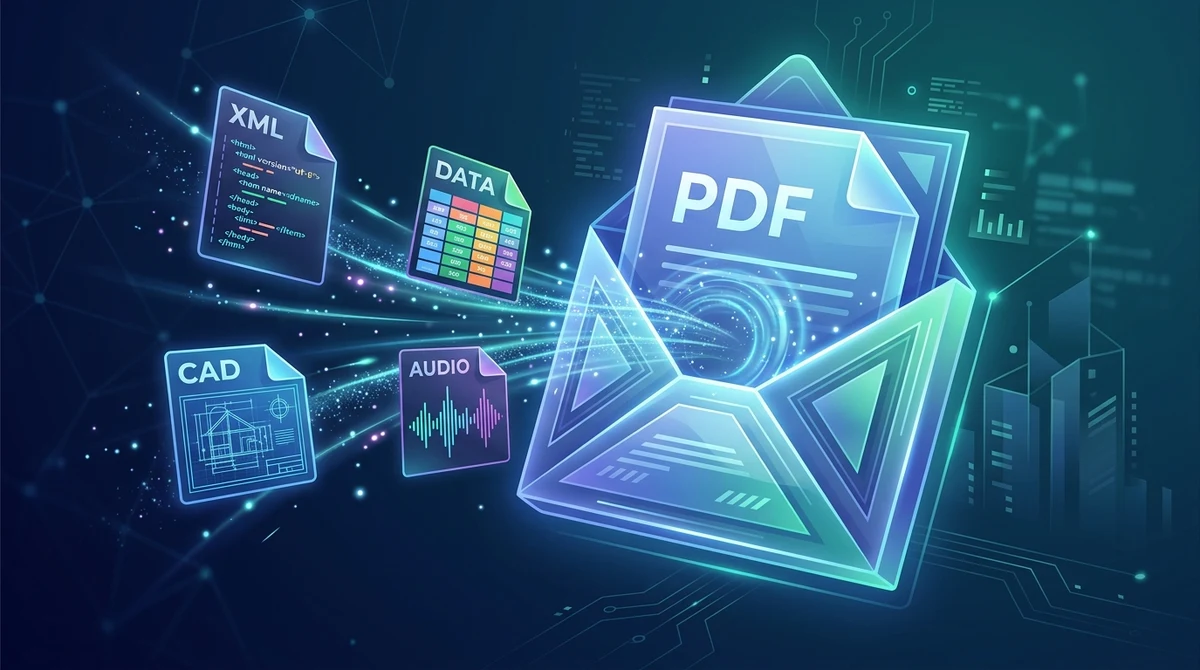
To add attachments to a PDF online for free, you embed auxiliary files directly into the document binary container under ISO 32000 and PDF/A-3 specifications. Using the AZ2PDF Add Attachments tool, you can attach spreadsheets, Factur-X or ZUGFeRD XML invoices, CAD schematics, and multimedia into a single PDF, complete with automatic viewer sidebar activation, zero cost, no account sign-up, and automated 5-minute memory privacy.
- Universal file encapsulation: Embed any auxiliary file format, including Excel workbooks, raw CSV datasets, CAD drawings, audio recordings, or structured XML invoices, directly inside a master PDF envelope.
- Automated reader sidebar display: Configures internal PageMode viewer preferences so Adobe Acrobat and standard desktop readers automatically open the attachments panel when the recipient views the file.
- Full ISO 32000 and PDF/A-3 compliance: Supports standard embedded file streams and long-term archival PDF/A-3b conversion with Associated Files metadata, essential for European e-invoicing mandates.
- 100 percent free with private in-memory processing: AZ2PDF embeds attachments entirely in volatile server RAM with zero registration, no software fees, no watermarks, and automatic file destruction after 5 minutes.
Beyond the visual page: Why embed auxiliary files inside a PDF?
Most computer users treat the Portable Document Format (PDF) as a fixed electronic printout. When you open a document, you read formatted sentences, review illustrations, and print or email the pages. Yet under international standard ISO 32000, a PDF file is fundamentally an object container capable of packaging independent binary files inside its internal architecture.
These auxiliary assets are known as embedded file attachments. Rather than painting graphics directly onto the visual coordinate grid of a page, attachments sit inside dedicated data streams within the document structure. An attachment can be any electronic file: an Excel financial model with active formulas, a structured XML e-invoice, an AutoCAD drawing, a high-resolution raw image, or a voice memo recording.
In modern corporate and administrative communication, embedding files inside a master PDF solves several widespread workflow headaches:
- Eliminating email clutter and lost attachments: Sending an email with six loose files often leads to confusion, missing spreadsheets, or accidental omissions when forwarded across colleagues and clients. Packaging everything into one master PDF creates a single, self-contained project docket.
- Bypassing aggressive email firewall filters: Corporate email gateways frequently block ZIP archives or uncommon file extensions due to malware inspection policies. Embedding supplementary data inside an authenticated, standard PDF document bypasses these false-positive rejections.
- Preserving version alignment: When raw data spreadsheets and visual executive summaries are stored in separate files, updates to one file frequently desynchronize from the other. Embedding the source spreadsheet directly into the summary PDF guarantees that readers always possess the exact datasets behind the presented figures.
Create comprehensive digital binders by utilizing the AZ2PDF Add Attachments tool. It allows you to embed arbitrary source files, spreadsheets, and certificates directly into the PDF container without modifying visible page layouts.
Create comprehensive digital binders by utilizing the AZ2PDF Add Attachments tool. It allows you to embed arbitrary source files, spreadsheets, and certificates directly into the PDF container without modifying visible page layouts.
Everyday use cases: E-invoicing, engineering bids, and research data
Embedding files into PDF containers has evolved from a niche specialty into an international business requirement. Major industries rely on PDF attachments for mission-critical operations:
1. European hybrid e-invoicing standards (Factur-X, ZUGFeRD, and Peppol)
Electronic invoicing mandates across Germany, France, and the European Union require hybrid billing documents. Under the ZUGFeRD and Factur-X frameworks, an invoice is delivered as an archival PDF/A-3 document that integrates two complementary layers:
- A visual document layout that human accounts payable staff can inspect, print, and verify.
- An embedded machine-readable XML file (named
factur-x.xmlorzugferd-invoice.xml) containing structured itemization, VAT codes, IBAN bank numbers, and supplier identifiers.
Enterprise ERP platforms like SAP, Oracle NetSuite, and Microsoft Dynamics ingest this embedded XML file automatically, eliminating manual keystrokes and billing errors. Creating these hybrid documents requires a tool that embeds the XML file while maintaining strict ISO 19005-3 conformance.
2. Architectural proposals and engineering submittals
General contractors, civil engineers, and architects regularly compile project proposals that combine commercial summaries with heavy technical deliverables. Rather than dispersing deliverables across multiple cloud links, engineers embed AutoCAD design files (.dwg, .dxf), structural calculation workbooks, and environmental impact assessments directly into the main bid PDF.
3. Academic research and scientific reproducibility
Peer-reviewed scientific journals increasingly demand that authors bundle raw empirical datasets with published papers. Researchers embed CSV datasets, Python analysis notebooks, and genomic sequences into the published PDF. This ensures complete academic reproducibility without risking link rot or broken external download URLs decades later.
4. Legal discovery, court filings, and contract negotiations
Litigation teams and corporate counsel compile evidentiary briefs that reference outside materials. Legal briefs often embed deposition audio recordings (.mp3, .wav), evidentiary photographs, and chain-of-custody certificates. Having every exhibit bundled inside the core brief prevents exhibits from separating during judicial review.
Comparing methods: Online browser tools vs. Acrobat Pro vs. CLI scripts
When you need to embed auxiliary files into a PDF, several technical paths exist. Choosing the right route depends on your budget, privacy needs, and technical comfort:
Option 1: Modern free online utilities (AZ2PDF)
The fastest and most practical route for professionals and everyday users is a dedicated web tool like AZ2PDF Add Attachments. AZ2PDF is a 100 percent free online tool with unlimited usage, zero subscriptions, no account sign-up requirements, and no watermarks. It processes files in high-speed volatile server RAM and permanently purges all documents within 5 minutes via an automated cleanup daemon. It supports multi-file uploads up to 50MB per attachment (200MB total payload) and offers an automatic PDF/A-3b conversion toggle for archival and e-invoicing compliance. Users can also access the broader suite of AZ2PDF free online PDF tools to compress, edit, or reorganize documents within the same secure ecosystem.
Option 2: Commercial desktop suites (Adobe Acrobat Pro)
Adobe Acrobat Pro provides a desktop attachments tool accessible via the Tools panel or the left sidebar paperclip icon. Users click Add Files, select documents, and save the modified PDF. However, Acrobat Pro demands an expensive recurring subscription costing over $239 per year. For independent contractors, small offices, or occasional users who simply need to attach a spreadsheet or XML file, paying hundreds of dollars annually is difficult to justify.
Option 3: Command-line developer utilities (Poppler, QPDF, and Ghostscript)
For systems engineers and software developers automating document pipelines on Linux servers, command-line utilities provide scriptable attachment embedding. For instance, utilities like QPDF or Python scripts using Apache PDFBox or pikepdf can attach files through terminal scripts. While highly effective for automated background daemons, command-line tools require programming knowledge, software compilation, and terminal access that standard office personnel do not possess.
Option 4: Traditional cloud upload services
Older commercial conversion websites offer file attachment features, but they frequently bundle them with aggressive freemium restrictions. Users are often stopped by file size caps, forced email registrations, slow processing queues, and long-term cloud storage. Storing sensitive accounting invoices or proprietary blueprints on third-party servers poses unnecessary compliance risks.
How to add file attachments to PDF in 3 simple steps
Attaching supplementary files to your PDF document takes only seconds using AZ2PDF. The entire process is 100 percent free, requires no account registration, and runs directly in your web browser. Here is how to do it:
Step 1: Select your primary base PDF
Open the Add Attachments tool on AZ2PDF. Drag and drop your main PDF document into the designated upload area, or click the file selection button to pick the document from your computer, tablet, or smartphone.
Step 2: Choose your auxiliary files to attach
Click the add attachments button to select the supplementary files you wish to embed. You can choose any file type, including Excel workbooks (.xlsx), XML invoices (factur-x.xml), Word files, images, or audio clips. If you are producing an official European e-invoice or long-term record, enable the optional PDF/A-3b compliance toggle.
Step 3: Embed attachments and download your unified PDF
Click the process button. The high-speed processing engine injects your auxiliary files into the document catalog, configures the internal viewer preferences so recipients see the attachments panel automatically, and generates your unified PDF. Click Download to save your multi-asset document instantly.
Before sending your newly assembled portfolio to external clients, you can quickly extract embedded files to verify data integrity to ensure every embedded file opens properly.
Before sending your newly assembled portfolio to external clients, you can quickly extract embedded files to verify data integrity to ensure every embedded file opens properly.
Technical anatomy: How PDF stores embedded files under ISO 32000 and PDF/A-3
To understand how embedded files function within a PDF container, it helps to examine how the ISO 32000 document object tree organizes attached data streams.
In standard PDF syntax, attachments are not loose file fragments appended to the end of the file. They are structured as formal indirect objects managed through a hierarchy of dictionaries:
1. The Document Catalog and Names dictionary
At the apex of every PDF structure sits the Document Catalog (the /Root object). When attachments are added at the document level, the catalog points to a /Names dictionary. Within this dictionary resides the /EmbeddedFiles name tree, which maps unique string keys (the filenames) to File Specification dictionaries (/Type /Filespec).
2. File Specification and Embedded File streams
A File Specification dictionary acts as the manifest for each attached file. It defines both the standard filename and Unicode-compatible filenames to ensure cross-platform compatibility across Windows, macOS, and Linux:
<<
  /Type /Filespec
  /F (financial_model.xlsx)
  /UF (financial_model.xlsx)
  /EF << /F 18 0 R >>
  /Desc (Q4 Financial Model and Projections)
>>
The /EF (Embedded Files) entry contains an indirect object reference (in this example, object 18 0 R) pointing to the actual binary data stream. This stream contains the raw bytes of the file, compressed using standard /FlateDecode algorithms, alongside a /Params sub-dictionary:
/Size: The exact uncompressed size of the auxiliary file in bytes./CreationDate: The original creation timestamp of the attachment./ModDate: The last modification timestamp of the attachment./Subtype: The MIME type of the attached payload (such asapplication/vnd.openxmlformats-officedocument.spreadsheetml.sheetortext/xml)./CheckSum: An optional 16-byte MD5 cryptographic checksum used by PDF readers to confirm binary data integrity upon extraction.
3. Associated Files (/AF) in PDF/A-3 and PDF 2.0
While earlier archival standards (PDF/A-1 and PDF/A-2) strictly forbade embedding non-PDF file formats, PDF/A-3 (ISO 19005-3) introduced the concept of Associated Files. The document catalog contains an /AF array listing every embedded file specification. Crucially, each file specification includes an /AFRelationship key describing the semantic relationship between the attachment and the document:
/Source: The attachment represents the original source data used to author the PDF./Data: The attachment provides raw data corresponding to visual content in the PDF (standard for Factur-X and ZUGFeRD XML invoices)./Alternative: The attachment provides an alternative representation of the document content./Supplement: The attachment provides auxiliary supporting information./Unspecified: The default relationship when no specific semantic link is defined.
4. Automated viewer preferences (PageMode USE_ATTACHMENTS)
A common frustration for professionals who send PDF attachments is that recipients overlook them. AZ2PDF solves this by automatically setting the PageMode attribute in the Document Catalog to /UseAttachments. When the recipient opens the document in Adobe Acrobat Reader or compatible desktop viewers, the viewer interface immediately opens with the Attachments panel expanded, making the attached files impossible to miss.
How to ensure your recipients can easily find and open attachments
Even though PDF attachments follow rigorous ISO specifications, software implementations vary across client devices. Here are practical ways to guarantee your recipients access your attached files without confusion:
1. Understand built-in web browser limitations
Default PDF viewers in Google Chrome, Apple Safari, Microsoft Edge, and Mozilla Firefox are optimized for rapid visual page rendering and security isolation. Because their purpose is quick viewing, browser makers omit the attachments inspection panel. If your recipient opens the PDF inside a web browser tab, the attachments will be invisible to them, even though the files are safely embedded inside the document.
2. Advise recipients to open the file in a desktop reader
To inspect and extract attachments, recipients should open the file using a dedicated desktop PDF viewer such as Adobe Acrobat Reader (free), Foxit PDF Reader, or PDF-XChange. In these applications, the attachments panel is represented by a paperclip icon on the left sidebar navigation dock. Clicking the paperclip displays every attached file, allowing the user to double-click to view or right-click to save the files to their computer.
3. Provide a free extraction alternative
If your recipient works on a restricted corporate computer or a mobile device where installing desktop software is prohibited, they can use the free AZ2PDF Extract Attachments utility. By uploading the PDF to the extraction tool, they can unpack all embedded XML files, spreadsheets, and media into a clean ZIP archive with a single click.
4. Add an editorial note on page 1
When preparing critical bids, legal filings, or hybrid invoices, adding a brief sentence on the title page or invoice footer is an effective professional courtesy: "Note: Source data files and raw spreadsheets are embedded directly inside this PDF container. Open in a dedicated PDF viewer or click the paperclip icon to access attachments."
Security precautions and best practices for PDF attachments
Embedding files into PDFs is a powerful capability, but maintaining security hygiene and sensible document sizing is essential for smooth delivery:
1. Avoid embedding executable file formats
Corporate cybersecurity systems and email firewalls scan the internal object tree of incoming PDFs. If an embedded file has an executable extension (such as .exe, .bat, .cmd, .vbs, or macro-enabled Office files like .xlsm), enterprise mail gateways will quarantine or reject the entire PDF. Stick to safe business formats like .xlsx, .csv, .xml, .pdf, .png, .jpg, and .dwg.
2. Monitor total document payload weight
Every file you attach increases the total byte size of your PDF. While AZ2PDF comfortably supports up to 50MB per attached file and a total batch size of 200MB, keep your recipient's email inbox restrictions in mind. Many corporate mail systems reject emails exceeding 20MB or 25MB. If you need to attach multi-megabyte datasets, compress high-resolution images or large tables beforehand to keep the PDF lightweight.
3. Verify confidentiality and data privacy
When utilizing online document utilities, privacy is paramount. AZ2PDF processes all document operations in volatile server memory without persistent disk caching. An automated daemon permanently purges all files after 5 minutes. No human accesses your documents, and no personal information is tracked or monetized.
4. Handling password-protected documents
If your base PDF is locked with a document open password, the attachment engine cannot modify the internal Names dictionary without the decryption key. Remove or unlock password security on the base PDF before attaching supplementary files, and re-apply encryption afterward if necessary.
Package multi-format assets into standardized PDF portfolios with the AZ2PDF portfolio and attachment management toolkit, providing zero-latency embedding backed by absolute browser-side confidentiality.
Package multi-format assets into standardized PDF portfolios with the AZ2PDF portfolio and attachment management toolkit, providing zero-latency embedding backed by absolute browser-side confidentiality.
❓ Frequently asked questions
Yes. AZ2PDF Add Attachments is 100 percent free with unlimited usage. There are no subscriptions, no credit card requirements, no account sign-ups, and no watermarks added to your documents.
Related articles in this topic
Deep dive into related document organization and page manipulation workflows.
How to compare two PDF files for differences online (free and secure)
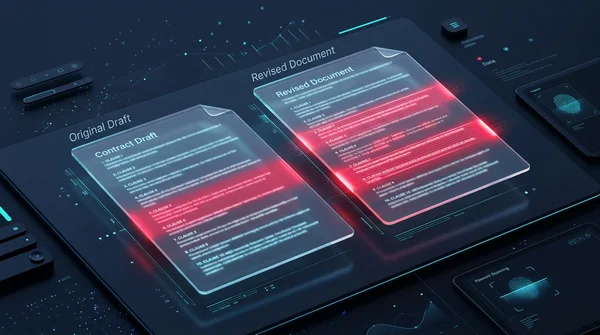
Learn how to compare two PDF documents online for free. Spot text changes, clause edits, and visual differences side by side without Adobe Acrobat.

How to overlay and superimpose PDF documents online (free and secure guide)
Learn how to overlay PDF pages, add digital letterheads, stamp approval seals, and superimpose blueprint drawings online for free. Fast, secure, and private.
How to extract embedded file attachments from PDF (free and secure)
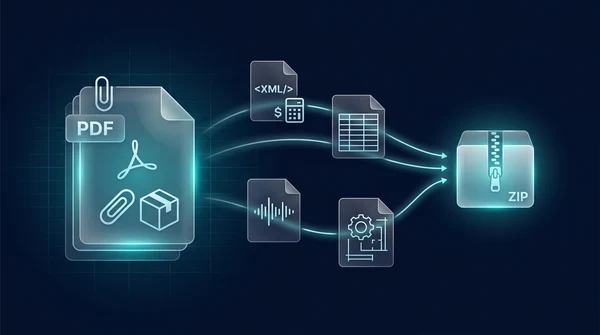
Learn how to extract hidden file attachments from PDF online for free. Unpack XML invoices, spreadsheets, datasets, and CAD files into a ZIP with full privacy.
How to auto split PDF documents by barcode and QR code (free online guide)
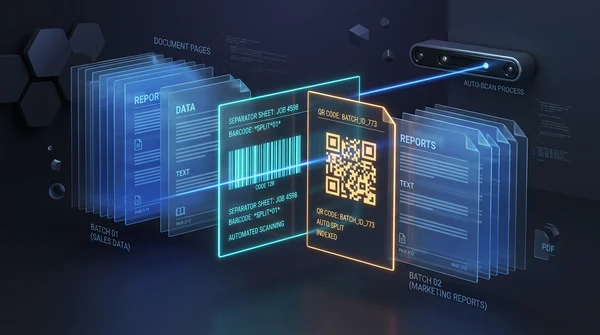
Learn how to automatically split batch scanned PDF files using barcode and QR code divider sheets online for free. Organize high-volume scans with zero fees and full privacy.

How to merge PDF files into one document online (free and secure)
Learn how to combine multiple PDF files into one organized document online without Adobe Acrobat. Fast, free, and secure with zero quality loss.
How to split PDF pages into separate documents (free and secure)
Learn how to split PDF files into separate documents or extract specific page ranges online without Adobe Acrobat. Fast, free, and completely private.