How to convert WebP to PDF online for free (lossless and fast)
Quick summary
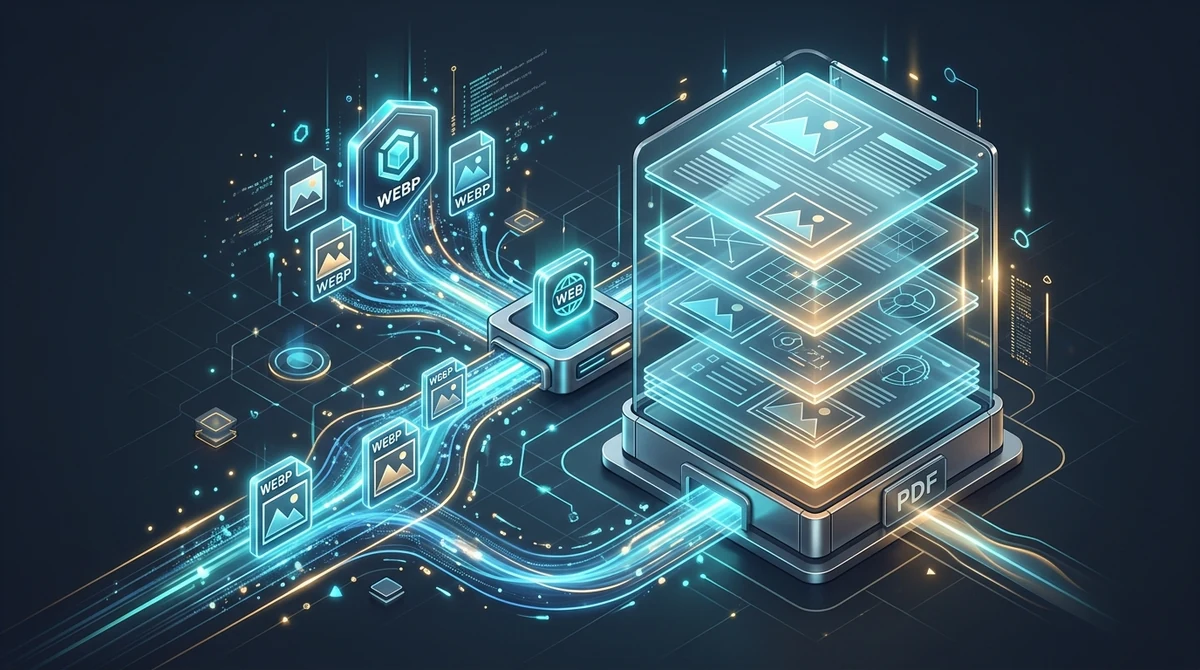
To convert WebP images to PDF online for free, you wrap the native raster pixel data into a standardized ISO 32000 PDF container without recompression. Using the AZ2PDF WebP to PDF converter, you can turn single or multiple WebP files into a polished, print-ready document in seconds with complete privacy and zero watermarks.
- Preserves original image clarity: The conversion engine embeds your WebP bitmap directly into standard PDF image streams, ensuring zero generational quality loss or compression artifacts.
- Multi-image batch merging: Combine dozens of scattered WebP pictures, product receipts, or design assets into a single sequential multi-page PDF document.
- 100% free with complete privacy: No subscription fees, no account registration, and no intrusive watermarks stamped across your pages. All processing runs in ephemeral memory that purges automatically after 5 minutes.
- Solves offline compatibility: Turns modern web-only image formats into universal, archival documents accepted by government filing systems, university portals, and desktop print shops.
Why modern WebP images need conversion to PDF
If you regularly save images from the web, you have likely noticed that more and more files download with a .webp file extension instead of traditional JPG or PNG formats. Developed by Google in 2010, WebP has become the undisputed favorite format of modern web design. By utilizing advanced VP8 and VP8L compression algorithms, WebP files are typically 25% to 34% smaller than comparable JPEGs and 26% smaller than PNGs while preserving remarkable visual fidelity.
However, what works brilliantly for web browsers often creates massive roadblocks once files leave the internet. Despite being widely supported across modern browsers, the WebP format suffers from severe compatibility limitations in everyday business and administrative workflows:
- Government, legal, and academic portal rejections: When submitting tax filings, visa applications, grant proposals, or college assignments, institutional upload portals almost universally restrict acceptable file types to PDF. Uploading a .webp file usually triggers an immediate error message.
- Legacy software and office suite hurdles: Older desktop applications, enterprise resource planning (ERP) systems, accounting programs, and specialized print management suites often lack native codecs to open or render WebP files properly.
- The mess of scattered attachments: If you download twelve WebP product photos, digital receipts, or scanned invoice pages, emailing twelve loose image files forces the recipient to download, organize, and view them one by one. There is no guaranteed reading order and no uniform presentation.
- Physical printing and print shop inconsistencies: Commercial printers and office multifunction copiers rely on postscript and PDF print queues. Sending raw WebP images to a print shop often results in incorrect scaling, cropped margins, or color shifts.
The Portable Document Format (PDF), standardized globally under ISO 32000, solves every single one of these problems. PDF is an universal, device-independent digital container that locks your visual content into fixed physical pages. Converting your WebP images to PDF transforms transient internet graphics into permanent, verifiable, and globally accepted documents.
Modern web graphics need not be trapped in online formats; the AZ2PDF WebP to PDF converter packages modern WebP visual assets into print-ready PDF files with exact dimensions and lossless pixel fidelity.
How WebP to PDF conversion preserves image quality
A frequent concern when converting image formats is loss of visual quality. When users hear the word conversion, they worry about blurry typography, muddy colors, or pixelated artifacts. Fortunately, a properly engineered PDF conversion pipeline does not degrade your images.
To understand why quality remains uncompromised, it helps to examine what a PDF file actually is. A PDF is not another image format; it is an object-oriented document architecture. When you convert an image to PDF, the engine performs structured encapsulation rather than destructive re-rendering:
1. Direct bitmap embedding without generational loss
Low-tier conversion websites take an inefficient shortcut: they decode your WebP image, compress it aggressively into a low-grade JPEG file, and then paste that degraded JPEG onto a PDF page. This double compression introduces visible compression artifacts, muddy gradients, and blurred fine lines. In contrast, high-fidelity conversion decodes the native WebP pixel matrix and embeds the uncompressed color data directly into the PDF image dictionary (/XObject /Subtype /Image) using lossless FlateDecode compression. Every single pixel and color gradient from the source image is preserved with mathematical fidelity.
2. Dynamic coordinate mapping and aspect ratio preservation
One of the biggest mistakes in amateur document conversion is forcing square or panoramic images into rigid page dimensions (such as standard Letter or A4 sheets) without proper scaling. This causes circular logos to stretch into ovals and photos to distort. Our conversion engine inspects the exact pixel dimensions (Width and Height) of each source WebP file. It dynamically creates a matching page boundary (MediaBox) or scales the image proportionally within standardized margins, guaranteeing zero stretching and zero aspect ratio distortion.
3. Color space standardization
WebP images are typically rendered in the sRGB color space. When creating the PDF output stream, the conversion engine assigns an explicit DeviceRGB color space dictionary. This ensures that whether your PDF is viewed on an iPhone screen, an OLED monitor, or printed on a laser printer, the colors reproduce reliably and consistently.
How to convert WebP images to PDF in 3 simple steps
Transforming your WebP files into clean, professional PDF documents takes just a few seconds no account registrations, and no watermarks. Here is the straightforward process:
Step 1: Select or drop your WebP images
Open the tool in your browser on any computer, tablet, or smartphone. Drag and drop your WebP files directly into the upload area, or click the selection button to choose files from your local storage. You can select a single image or dozens of files simultaneously for batch processing.
Step 2: Review and arrange your document order
If you uploaded multiple images, you can view the thumbnails to ensure everything is in the right sequence. The images will be placed onto consecutive pages in the exact order you specify, allowing you to build clean multi-page reports or portfolios effortlessly.
Step 3: Convert and download your finalized PDF
Click the Convert button. The conversion engine packages your WebP files into a standardized ISO 32000 PDF document in temporary memory. Within moments, your download is ready. Click the Download button to save your polished, watermark-free PDF directly to your device.
Combining multiple WebP files into a single organized document
One of the most practical everyday advantages of converting WebP to PDF is batch merging. In digital workspaces, content rarely exists as a single isolated picture. Consider these common scenarios:
- Expense reports and digital receipts: Online stores, travel booking sites, and ride-hailing services often issue invoices and order receipts as WebP web images. Instead of sending seven individual image attachments to your accounting department, you can merge them into a single, chronologically ordered expense report PDF.
- Creative portfolios and client proposals: Designers, photographers, and architects frequently export draft concepts as WebP to save bandwidth. Packing those design concepts into a unified multi-page PDF presentation creates a much more cohesive and professional presentation for clients.
- Multi-page scanned records: If you captured several pages of a contract, medical record, or lease agreement using a mobile camera app that saved files in WebP format, merging them into a single PDF restores the natural multi-page flow of the physical document.
Because the PDF container groups all individual pages under a unified document catalog (/Pages tree), recipients can scroll continuously through all pages, jump directly to page numbers, or print the entire set with one click.
Handling transparent backgrounds and animated WebP graphics
WebP is a versatile modern format that supports two specialized features not found in standard JPEGs: alpha transparency and animation frames. Understanding how these features translate into PDF ensures you achieve optimal results:
Transparent backgrounds (Alpha channel)
Many WebP images, especially company logos, graphic illustrations, and product cutouts, feature transparent backgrounds using an 8-bit alpha channel. When embedding transparent graphics into a document destined for printing or standard viewing, older or poorly programmed tools often fail to handle the alpha mask correctly, resulting in an unsightly solid black box behind the graphic. The AZ2PDF engine intelligently composites transparent WebP graphics over a crisp, neutral white background (or preserves native soft mask transparency dictionaries where appropriate). This ensures your transparent graphics remain clean, legible, and completely free of visual artifacts.
Animated WebP files
WebP supports animated sequences, often used on social platforms and websites as a modern, lightweight alternative to bulky GIF files. However, the PDF standard is engineered strictly for static, printable document representation; it does not support looping animated raster graphics on physical pages. When you upload an animated WebP file to the converter, the engine intelligently extracts the key primary frame (frame 0) and renders that crisp still image onto the PDF page. If your goal is to present a still illustration or diagram captured from an animation, conversion works seamlessly.
If your design workflow combines next-gen WebP assets with traditional camera shots, you can also convert standard JPEG files to PDF to harmonize varied picture formats into a single binder.
Privacy first: Why ephemeral memory processing protects your files
Images converted to PDF frequently contain confidential and sensitive personal information: photographed tax forms, passport scans, medical bills, financial invoices, or proprietary product mockups. Protecting that information from interception or unauthorized storage is vital.
Unfortunately, many traditional file conversion websites operate on outdated and insecure practices: they upload your files to permanent hard drives, log your document contents, retain copies indefinitely, or monetize user data by sharing analytics with third parties. Some services even use uploaded documents to train public machine learning datasets without your informed consent.
That is why AZ2PDF free online PDF tools was engineered with privacy at its core:
- Ephemeral in-memory processing: Conversion workloads run strictly in volatile RAM memory buffers. Your uploaded files are never written to permanent database storage or long-term disk archives.
- Automated 5-minute purge daemon: A background cleanup daemon operates continuously across our infrastructure, automatically and irreversibly wiping temporary processing memory within five minutes of completion.
- Zero account registration: You never need to supply an email address, create a password, or link a credit card. You remain completely anonymous throughout the entire process.
- No promotional watermarks: Unlike predatory platforms that plaster oversized advertising logos over your converted pages to force a paid upgrade, AZ2PDF leaves your documents 100% clean and professional.
Comparing your options: Free online converter vs. desktop software
When you need to turn WebP images into PDF files, you generally have three primary paths. Comparing them helps you determine the most efficient approach for your specific budget and productivity needs:
Option 1: AZ2PDF free online converter
This is the fastest, most accessible option for everyday work. It requires zero software installation and runs directly in any modern browser on Windows, macOS, Linux, iOS, and Android. It handles multi-image batch merging effortlessly, preserves pixel-perfect quality through lossless embedding, guarantees complete data privacy with volatile RAM processing, and is 100% free with no limits or watermarks.
Option 2: Heavyweight desktop suites (Adobe Acrobat or Photoshop)
Professional desktop suites like Adobe Photoshop or Acrobat Pro can convert and assemble images into PDF documents. However, these programs require substantial local system resources, massive gigabyte installations, and steep recurring subscriptions that exceed $239 to $299 per year. For users who simply need to convert WebP images into clean PDF documents, paying for enterprise creative software is an unnecessary and costly expense.
Option 3: Browser Print-to-PDF virtual printing
Some users attempt to convert WebP images by opening them in a web browser tab and choosing Print followed by Save as PDF. While this trick works in a pinch, it comes with severe drawbacks: the browser often forces the image into rigid paper dimensions with awkward white margins, adds unwanted header and footer text (such as file paths, page numbers, and dates), and does not support merging multiple separate images into a single cohesive document.
Next steps: Optimizing, organizing, and extracting text from your new PDF
Once you have converted your WebP images into a polished PDF document, you can seamlessly integrate it into wider document workflows across the AZ2PDF ecosystem:
1. Extract selectable text using optical character recognition
Because WebP files are raster pixel images, any words, numbers, or addresses inside them cannot be selected, searched, or copied with standard keyboard shortcuts. If you converted photographs of book pages, receipts, or contracts, you can run your new document through the AZ2PDF OCR PDF tool. This generates an invisible, machine-readable text layer behind the images, enabling full Ctrl+F searchability and instant text copying.
2. Compress oversized image documents for email attachments
If you combined twenty high-resolution WebP photographs, your resulting PDF might exceed standard email attachment limits (such as Gmail 25MB threshold). By optimizing image streams and downsampling heavy DPI without sacrificing text or photo legibility, you can shrink file sizes by up to 85%.
3. Merge with existing reports and contracts
You can merge newly created PDF image pages into comprehensive corporate reports, contracts, or presentation packages with a single click, keeping your business documentation organized and professional.
Bridge web graphics and print documentation smoothly with the AZ2PDF web graphics and PDF suite, ensuring rapid conversions backed by complete browser-side privacy.
❓ Frequently asked questions
Yes. The tool is 100% free with no hidden fees, no subscription requirements, no daily conversion limits, and no promotional watermarks added to your finished PDF files.
Related articles in this topic
Deep dive into related document organization and page manipulation workflows.
How to convert JPG to PDF online for free (fast and private)
Convert JPG and JPEG images to clean, multi-page PDF documents online for free. Keep original photo quality with zero generational loss and complete privacy.
How to convert PNG to PDF online for free (lossless and sharp)
Convert PNG images and screenshots to clean, multi-page PDF documents online for free. Keep sharp line art, alpha transparency, and full privacy in your browser.
How to extract images from PDF online for free (lossless quality)
Learn how to extract embedded images from PDF online for free without quality loss. Retrieve original JPG and PNG photos with transparent alpha channels in a clean ZIP.
How to convert SVG to PDF online without losing vector quality
Learn how to convert SVG graphics to crisp vector PDF documents online for free. Keep Bézier curves, text fonts, and transparency without Adobe Illustrator.
How to make a PDF look scanned online for free (realistic paper effect)
Learn how to make digital PDFs look like physically scanned paper documents online for free. Add subtle tilt, paper grain, and grayscale contrast without a printer.
How to convert color PDF documents to grayscale black and white (free online)
Convert color PDF files to monochrome grayscale black and white online for free. Save printer ink, cut file size by up to 70%, and ensure compliance with zero cost.