How to verify a PDF digital signature for free (no Acrobat required)

Quick summary
To verify a PDF digital signature for free without paying for Adobe Acrobat, you can use the AZ2PDF Verify Signature tool. It inspects cryptographic PKCS#7 signature envelopes, checks SHA-256 ByteRange hashes to confirm the document has not been altered, and validates the X.509 certificate chain against trusted root authorities.
- No paid software needed: You do not need an expensive Adobe Acrobat subscription just to confirm whether a signed contract, invoice, or certificate is authentic.
- Cryptographic integrity check: The verifier examines the internal ByteRange array and cryptographic hashes to detect if a single byte was altered after the signature was applied.
- Certificate chain inspection: Validates the signer identity, issuer authority, serial number, and revocation status against trusted certificate authorities.
- Zero-retention privacy: Files are inspected strictly in temporary memory buffers and permanently purged after 5 minutes by an automated cleanup daemon.
Digital signatures vs. scanned ink stamps: Why visual appearance proves nothing
When you receive an employment agreement, vendor contract, court filing, or commercial invoice via email, how can you be certain the file is genuine? Many people look at the bottom of the last page, see a cursive handwritten signature or an official-looking corporate seal, and assume the document is legally binding and authentic.
In digital document forensics, visual appearance proves almost nothing. An ordinary electronic signature (such as a scanned PNG image of a cursive signature or a doodle drawn with a smartphone stylus) is simply a cosmetic image layer floating on top of the document canvas. Anyone with basic image-editing software can copy that signature image, paste it onto a fraudulent invoice, and change bank account numbers without leaving any visual indication of fraud.
In contrast, a genuine cryptographic digital signature operates at the binary level under the international ISO 32000 standard and European PAdES (PDF Advanced Electronic Signatures) specifications. Instead of relying on decorative ink drawings, a digital signature binds a certified public-key cryptographic certificate directly to the exact byte stream of the file. If an unauthorized party alters even a single punctuation mark, date, or decimal point after the signature is applied, the mathematical seal breaks instantly.
For years, verifying these cryptographic signatures required commercial desktop suites like Adobe Acrobat Pro, which carries an annual subscription exceeding $239 per year. For individuals, small business owners, and legal professionals who simply need to confirm the authenticity of signed agreements, paying steep recurring fees is unnecessary. Today, modern web platforms provide fast, independent cryptographic signature validation completely free of charge.
Confirm the cryptographic validity of executed contracts with the AZ2PDF Validate Signature tool. It interrogates X.509 certificate chains, verifies time-stamping authorities, and confirms whether byte streams were modified after signing.
How PDF signature verification works: ByteRange hashes and ISO 32000
To understand why cryptographic signatures cannot be forged or bypassed, one must examine the internal architecture of a signed PDF. When a signer applies an official digital certificate to a document, the software does not simply lock the file with a password. It performs an intricate cryptographic handshake defined by public-key infrastructure (PKI):
1. Defining the ByteRange array
Inside the PDF object structure, the signature dictionary (/Sig) contains an entry called /ByteRange. This is an array of four integers representing two pairs of byte offsets and lengths: [offset1, length1, offset2, length2].
The first pair spans from the very first byte of the file up to the exact point where the signature data starts. The second pair spans from the end of the signature data block all the way to the end of the file. The gap between these two ranges contains the /Contents key, which holds the raw binary PKCS#7 or CMS (Cryptographic Message Syntax) signature container formatted in hexadecimal characters.
2. Calculating the cryptographic message digest
Before applying the signature, the signing software calculates a one-way mathematical hash (typically SHA-256 or SHA-512) across every single byte specified by the ByteRange. This produces a unique alphanumeric fingerprint representing the exact state of the document at that split second.
The signer private key then encrypts this hash digest. Because only the legitimate owner possesses the private key, the resulting encrypted block can only be decrypted and verified the verification engine recalculates the SHA-256 hash across the document ByteRange and compares it with the decrypted hash extracted from the signature container.
If the two hash digests match perfectly, the document is mathematically proven to be unaltered. If even a single byte of text, an annotation, or an invisible metadata stream was modified or appended outside legitimate incremental updates, the hashes will not match, and the tool immediately alerts you that the file has been tampered with or corrupted.
Certificate trust chains and PKIX path validation explained
Proving that a document has not been altered is only the first half of the verification process. The second half is answering a crucial legal question: who actually signed it, and should you trust them?
Digital signatures rely on standard X.509 Public Key Certificates. To establish trust, the verification engine constructs a hierarchical chain of certificates known as PKIX path validation:
- The end-entity certificate (Signer): This certificate directly identifies the individual or corporation that signed the file. It contains the signer Common Name (CN), organization, email address, serial number, and public key.
- The intermediate certificate authority (Intermediate CA): Large certificate authorities do not sign individual documents directly with their root keys. Instead, they issue intermediate certificates to handle daily signing operations, isolating their master keys from online exposure.
- The root certificate authority (Trust Anchor): The top of the chain is a Root CA certificate. For a signature to be considered trustworthy by default, this root authority must reside in recognized public trust stores, such as the Adobe Approved Trust List (AATL), the European Union Trusted List (EUTL under eIDAS regulation), or operating system trust stores.
If an organization uses internal private certificate authorities (common in banking, healthcare, and enterprise intranets), public readers may show an untrusted warning. AZ2PDF allows administrators and users to upload custom root certificates directly into the verification session, providing instant PKIX validation for corporate and government intranets without installing root certificates onto local workstations.
Why timestamps matter: RFC 3161 tokens and long-term validation (LTV)
One of the most vulnerable aspects of routine digital signing is the signature timestamp. In basic signing workflows, the software embeds the current date and time taken directly from the signer computer clock.
Relying on a local system clock creates serious legal vulnerabilities. A dishonest party could easily roll their computer clock back two weeks, sign an expired agreement or backdated insurance policy, and claim the document was executed on time. Furthermore, digital certificates expire every one to three years. If you inspect a 5-year-old contract signed with an expired certificate, how can you prove the certificate was valid on the day the signature was applied?
1. Independent RFC 3161 timestamping authorities
To establish legally indisputable timelines, high-assurance documents incorporate an RFC 3161 Time-Stamp Token (TST). During the signing process, the software sends the cryptographic hash of the document to an independent Time Stamping Authority (TSA). The TSA binds the document digest to a calibrated atomic clock timestamp, cryptographically signs the token, and embeds it directly into the PDF signature dictionary.
2. Enabling long-term validation (PAdES-LTV)
When an RFC 3161 document timestamp is present, the signature benefits from Long-Term Validation (LTV). Even if the signer certificate expires five years later, the verification engine uses time-of-signing semantics. Because the trusted timestamp proves the signature occurred when the certificate was active and untampered, the signature remains fully valid and legally binding for decades into the future.
After authenticating document signers, you can additionally choose to apply cryptographic document encryption for added security to lock the validated agreement behind robust password encryption.
How to verify a signed PDF in 3 simple steps for free
Verifying the authenticity of any digitally signed PDF takes only seconds using AZ2PDF free online PDF tools. You do not need to install complex desktop software, create a user account, or provide payment details. Here is the straightforward process:
Step 1: Upload your signed document
Open the Verify Signature tool in any modern web browser on Mac, Windows, Linux, iOS, or Android. Drag and drop your electronically signed PDF file into the clean upload zone, or click to choose the file from your local storage. AZ2PDF is 100% free and supports high-volume legal and business documents with zero usage limits.
Step 2: Optional custom certificate validation
If your document was signed using a commercial or government certificate (such as DocuSign, Adobe Sign, or government eID), standard trust verification occurs automatically. If the document was signed using an internal corporate PKI or private organizational certificate, you can optionally upload the issuing certificate file (.cer, .crt, or .pem) to serve as a custom trust anchor.
Step 3: Review the forensic verification report
The verification engine parses the cryptographic envelope in isolated memory and outputs a comprehensive authenticity report:
- Document integrity status: Confirms whether the file hash matches and verifies that zero unauthorized modifications occurred after signing.
- Signer identity: Displays the verified Common Name, organization, department, and location.
- Certificate authority details: Discloses the issuing CA, certificate serial number in hexadecimal format, and key size (such as RSA 2048-bit or 4096-bit).
- Signing timeline: Identifies whether the signing time is verified by an independent RFC 3161 TSA timestamp authority or derived from local system properties.
- Revocation status: Evaluates whether the certificate was revoked via Online Certificate Status Protocol (OCSP) or Certificate Revocation Lists (CRL).
To prevent unauthorized modifications and lock editing permissions before distributing sensitive verified files, you can password protect and encrypt the PDF.
Quick fixes for common PDF signature validation warnings
When reviewing digital signatures, automated tools and desktop viewers often produce confusing warning messages. Here is what those alerts actually mean and how to resolve them:
1. Signature validity is unknown
This is the most common alert in document verification. It does not mean the document is forged. It simply means that while the cryptographic math is intact and the file has not been altered, the certificate authority that issued the signer credential is not currently listed in your reader trust store. Checking the certificate details reveals whether the issuer is a legitimate authority.
2. Document has been altered or modified since signature was applied
This is a critical security warning. It indicates that the binary hash calculated across the document no longer matches the encrypted digest inside the signature container. This occurs if someone edited text, removed pages, resaved the file through an incompatible converter, or injected unauthorized annotations. You should treat the document as untrusted and request a fresh, original copy from the sender.
3. Signer certificate has expired
A certificate expiration warning means the digital ID has passed its predetermined validity window. If the file includes an embedded RFC 3161 trusted timestamp proving the signature was applied before the expiration date, the signature remains legally sound. If no trusted timestamp is embedded, the signature cannot definitively prove it was executed prior to expiration.
4. Certificate revocation check could not be completed
This warning occurs when the verification engine cannot reach the certificate authority OCSP or CRL servers over the internet (often due to corporate firewalls or offline environments). In standard enterprise environments, this is considered a soft failure rather than proof of a compromised certificate.
Privacy and compliance: Zero data retention for legal and financial records
Documents requiring cryptographic signature verification almost always involve sensitive enterprise transactions: mergers and acquisitions, non-disclosure agreements, executive employment contracts, patent filings, or tax declarations.
Many legacy web services transmit uploaded documents to unverified cloud servers, where confidential contracts may sit unmonitored on third-party hard drives for days. Transmitting sensitive corporate files to external cloud storage introduces severe compliance violations under GDPR Article 32, HIPAA security rules, and confidential attorney-client privilege protocols.
That is why AZ2PDF is built from the ground up on a strict Zero Data Retention security model:
- In-memory ephemeral execution: Files are received into temporary system RAM buffers solely for the duration of the cryptographic hash calculation and PKIX path build. Your files are never written to persistent databases or long-term disk storage.
- Automated 5-minute memory purge: A dedicated background daemon continuously monitors temporary memory allocations, permanently purging all session buffers within 5 minutes of verification.
- Zero data harvesting: AZ2PDF never reads, archives, shares, or analyzes your confidential business data, and your documents are never fed into artificial intelligence training datasets.
Validate corporate agreements with uncompromising legal confidence via the AZ2PDF digital signature verification platform, where cryptographic parsing happens locally without file exposure.
❓ Frequently asked questions
Yes. The AZ2PDF Verify Signature tool inspects cryptographic PKCS#7 signature envelopes, validates SHA-256 ByteRange hashes, and verifies X.509 certificate chains directly in your browser for free without requiring a paid subscription or account registration.
Related articles in this topic
Deep dive into related document organization and page manipulation workflows.
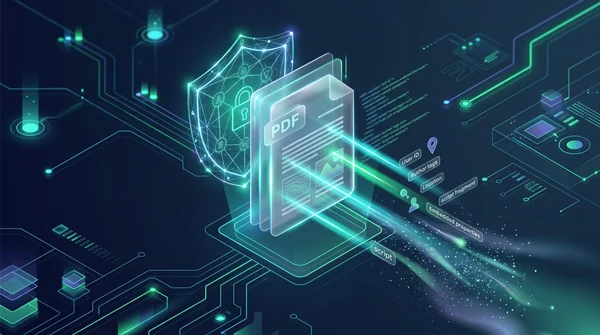
How to sanitize PDF files and wipe hidden author metadata (free and secure)
Learn how to sanitize PDF files by removing invisible author metadata, revision history, GPS tags, and dangerous JavaScript macros online. 100% free and private.
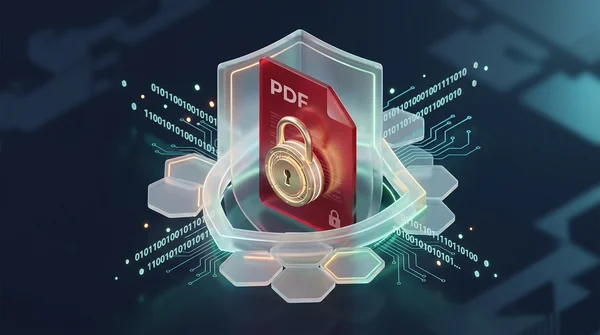
How to password protect a PDF for free (AES-256 encryption)
Learn how to password protect and encrypt PDF files online for free using military-grade AES-256 encryption. Keep confidential contracts, bank statements, and payroll files private with zero watermarks.
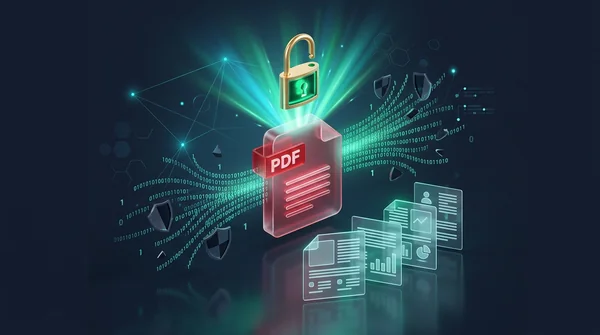
How to unlock a password protected PDF online (remove security permanently)
Learn how to remove passwords and permission restrictions from authorized PDF files online for free. Decrypt your documents securely with zero watermarks.

How to add confidential and copyright watermarks to PDF online
Learn how to add custom text and transparent PNG logo watermarks to PDF files online for free. Configure opacity, angle, and position across all pages.
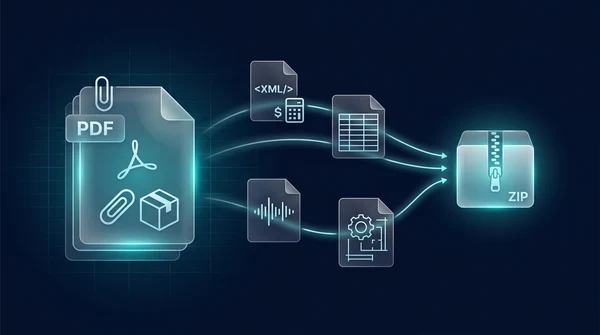
How to extract embedded file attachments from PDF (free and secure)
Learn how to extract hidden file attachments from PDF online for free. Unpack XML invoices, spreadsheets, datasets, and CAD files into a ZIP with full privacy.
How to add file attachments to PDF online for free (step-by-step guide)
Learn how to add file attachments to PDF online for free. Embed Excel sheets, Factur-X XML invoices, CAD drawings, and audio files with full ISO 32000 privacy.