How to sanitize PDF files and wipe hidden author metadata (free and secure)
Quick summary
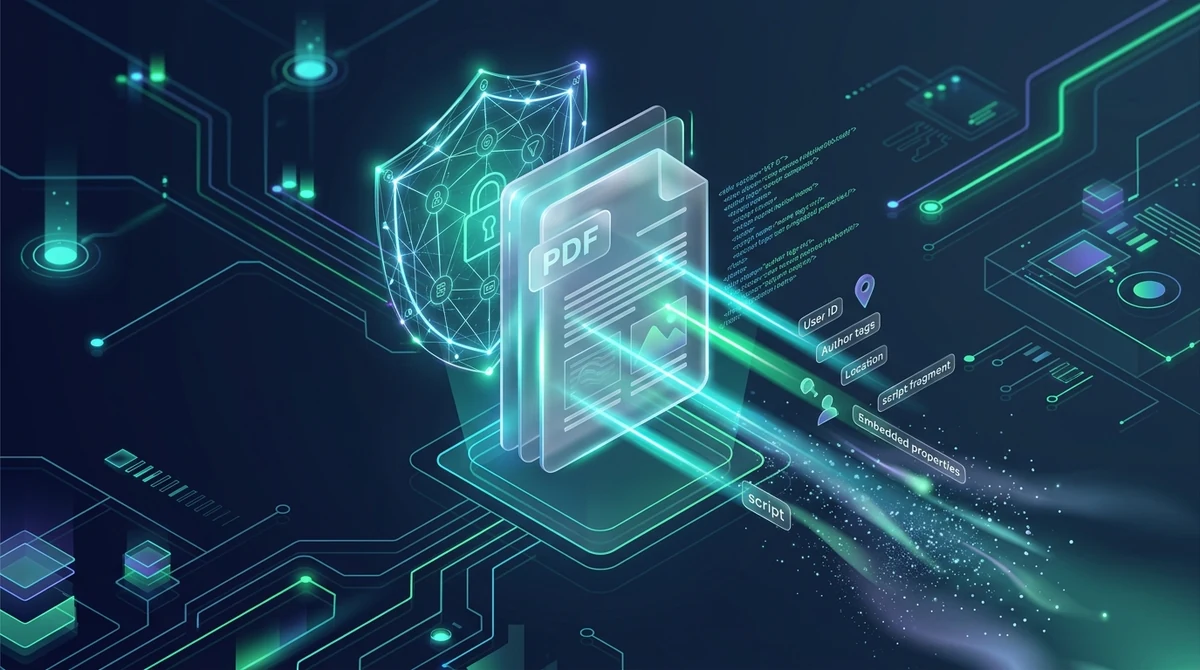
To sanitize a PDF file, you run a binary-level cleansing process that permanently strips invisible document metadata (/Info dictionary), Extensible Metadata Platform XML streams (/Metadata), embedded JavaScript macros, launch action triggers (/OpenAction), and concealed file attachments. Using AZ2PDF Sanitize PDF, this deep cleansing runs securely in volatile memory, producing a pristine, anonymous document with zero tracking traces and zero server retention.
- Invisible data exposure: Standard PDF files quietly harbor author names, corporate usernames, network file paths, GPS camera coordinates, and full software editing histories.
- Eliminates malware vectors: Deep sanitization removes dangerous embedded JavaScript routines, automatic launch triggers, and hidden file attachments that could compromise recipient systems.
- Sanitize vs. redact: Redaction erases visible text on the page, while sanitization purges invisible background metadata and executable objects. High-security workflows require both.
- 100% Free and private: Cleanse confidential legal, corporate, and whistleblower documents with zero file logging, zero watermarks, and automatic memory purging after 5 minutes.
What is inside a PDF: Anatomy of info dictionaries and XMP streams
To understand why simple workarounds like deleting an author name in your desktop viewer often fail, one must examine the internal architecture of the ISO 32000 standard for Portable Document Format. A PDF is not a flat image; it is a sophisticated, object-oriented database structured in hierarchical streams and cross-reference tables.
Metadata in a modern PDF is stored across two primary mechanisms:
1. The document information dictionary (/Info)
Inherited from early PDF specifications, the /Info dictionary resides directly in the document trailer or catalog. It consists of key-value pairs defining fundamental publication parameters:
/Author: The registered name of the user whose computer generated the file./Titleand/Subject: The working document title and document classification./Creator: The parent application that created the original source document (such as Microsoft Word or Apple Pages)./Producer: The PDF conversion library or engine that compiled the binary stream (such as Adobe PDF Library, Quartz, or Skia)./CreationDateand/ModDate: Cryptographically precise timestamps including regional timezone offsets.
While some desktop readers let you edit these text fields, modifying them by hand merely updates the top-level keys. It does not cleanse deeper structural layers.
2. Extensible metadata platform XML streams (/Metadata)
Introduced by Adobe and standardized under ISO 16684-1, the Extensible Metadata Platform (XMP) embeds structured XML packets directly into the PDF catalog and individual object streams. XMP packets can accompany the document as a whole, individual pages, embedded vector graphics, or embedded raster images.
XMP schemas store extensive historical data, including Photoshop editing histories, color profiles, font licensing credentials, digital asset management identifiers, and camera EXIF data. Because XMP metadata is encoded as raw XML streams inside compressed FlateDecode filters, ordinary PDF readers do not display this information in standard property dialogs, allowing sensitive traces to remain completely undetected by the casual user.
3. Embedded revision history and orphan objects
When you edit a PDF in traditional desktop software and click save, many applications perform an incremental update. Instead of rewriting the entire binary file, the software simply appends changes to the end of the existing file and updates the cross-reference (xref) table.
As a result, previously deleted paragraphs, earlier author names, and unredacted confidential numbers often remain stored inside older, unreferenced objects earlier in the byte stream. A recipient opening the file in a raw hexadecimal editor or using a PDF forensic parser can inspect past incremental updates and recover supposedly deleted data.
Dangerous dynamic elements: Why JavaScript and launch actions pose security threats
Sanitizing a PDF goes far beyond wiping personal author names. In high-threat enterprise environments and defense contracting, untrusted PDF documents are frequently weaponized as delivery vehicles for malware, credential harvesting, and zero-day vulnerabilities.
The PDF specification supports dynamic, executable elements that can run actions automatically upon opening:
1. Embedded JavaScript macros (/JS and /JavaScript)
The PDF format supports a specialized subset of JavaScript (Acrobat JavaScript API) designed to automate form validations, format currency fields, and control interface elements. However, malicious actors frequently abuse embedded JavaScript to perform heap-spray attacks, trigger buffer overflows in unpatched PDF viewer engines, or silently redirect users to external phishing web portals.
2. Automated action triggers (/OpenAction and /AA)
PDF dictionaries can define an /OpenAction key or Additional Actions (/AA) attached to page open events, page close events, or bookmark clicks. These triggers execute without any user interaction the moment the file is viewed. In advanced attacks, an /OpenAction trigger can invoke a /Launch command to execute a script or external executable on the host operating system, or invoke a /SubmitForm action to transmit local document data to an unauthorized third-party server.
3. Concealed file attachments (/EmbeddedFiles)
PDF containers can hold arbitrary file attachments inside an /EmbeddedFiles name tree. While legitimate businesses use this feature to attach spreadsheets or CAD schematics to a summary report, attackers frequently smuggle executable batch files, VBScripts, or weaponized Office files inside a seemingly harmless PDF, bypassing standard email attachment perimeter filters.
True PDF sanitization inspects the entire document object graph, identifying and surgically excising every /JavaScript, /JS, /OpenAction, /AA, /Launch, /SubmitForm, and /EmbeddedFiles dictionary entry, neutralizing dynamic threats before files reach your partners or clients.
Sanitization versus redaction: Understanding the critical difference
One of the most frequent misconceptions in document security is confusing sanitization with redaction. While both processes protect confidential information, they operate at completely different layers of the document architecture.
Here is how the two disciplines compare:
- Digital redaction targets the visual layer: Redaction is the permanent physical excision of visible text characters, figures, and pixel areas from the page canvas. When you redact a file using a tool like AZ2PDF Auto Redact PDF or AZ2PDF Redact PDF, the engine surgically deletes the character codes from the page content stream and draws an opaque vector rectangle over the erased area. Redaction prevents human eyes, screen readers, and copy-paste commands from retrieving private numbers.
- Document sanitization targets the structural and metadata layer: Sanitization does not alter the visible text layout on the page. Instead, it inspects the background infrastructure of the file, stripping author properties, XMP streams, hidden attachments, launch triggers, and incremental revision trails.
The essential security rule: Redacting text does not remove author metadata or camera GPS tags. Conversely, sanitizing a file does not black out a client name or Social Security number printed in bold across page 2. For complete document security before public filing or legal distribution, standard best practice requires performing redaction first, followed immediately by comprehensive sanitization.
Once obsolete author footprints and software signatures are cleared, you can conveniently insert clean, standardized corporate metadata to assign approved organizational copyright and indexing keywords.
How to sanitize a PDF and strip metadata in 3 simple steps
Step 1: Upload your PDF document
Navigate to the Sanitize PDF tool in your web browser on Mac, Windows, Linux, iOS, or Android. Drag and drop your document into the clean upload zone, or click to choose a file from your local storage. AZ2PDF is 100% free and supports documents of any size with no page limits.
Step 2: Deep binary sanitization and metadata purge
The sanitization engine parses the PDF object graph in isolated memory. It systematically deletes the /Info dictionary, purges all embedded XMP metadata packets, strips /JavaScript and /JS script trees, removes automatic /OpenAction triggers, and decouples embedded file attachments. The engine then rebuilds the internal cross-reference table, discarding all orphan objects and unreferenced incremental updates.
Step 3: Download your hardened, anonymous file
Click the Download button to save your sanitized PDF directly to your device. The resulting document looks identical on screen to your original file, but all hidden author fingerprints, corporate tracking traces, and dynamic execution vectors have been permanently expunged.
Once obsolete author footprints and software signatures are cleared, you can conveniently insert clean, standardized corporate metadata to assign approved organizational copyright and indexing keywords.
Privacy and compliance: Zero data retention for legal, medical, and corporate records
Documents requiring sanitization often contain your organization's most guarded confidential records: acquisition contracts, litigation discovery exhibits, proprietary research reports, or HIPAA-regulated medical documentation.
Many legacy online document converters upload your files to remote cloud storage, where they sit on third-party hard drives for hours or days. Transmitting confidential legal files or patient records to unverified cloud servers introduces unacceptable compliance risks under HIPAA, GDPR Article 32, and professional attorney-client privilege obligations.
That is why free online PDF tools on AZ2PDF is engineered with a strict Zero Data Retention architecture:
- In-memory ephemeral processing: Documents are received and processed strictly inside volatile system RAM buffers. At no point are your file contents written to persistent disk storage or long-term databases.
- Automated 5-minute memory purge: A dedicated system purge daemon continuously monitors memory buffers, permanently erasing all temporary session assets within 5 minutes of completion, or immediately upon successful download.
- Zero data harvesting: AZ2PDF never reads, indexes, shares, or retains your confidential document data, and your files are never utilized to train artificial intelligence models.
Comparing your options: AZ2PDF vs. Adobe Acrobat Pro vs. print-to-PDF workarounds
When you need to cleanse documents before public release, different approaches offer varying balances of security, convenience, and cost:
Option 1: AZ2PDF Sanitize PDF (recommended)
The fastest and most accessible solution for legal teams, executives, and individuals. AZ2PDF performs deep binary sanitization, purging both /Info dictionaries and XMP XML packets while disarming executable JavaScript and launch actions. It is 100% free, requires no user registration, runs instantly across any operating system, and guarantees complete data privacy with automated RAM purging.
Option 2: Adobe Acrobat Pro Sanitize Document
Adobe Acrobat Pro includes a thorough desktop sanitization feature under its Protect tools menu. While technically competent, Acrobat Pro requires installing gigabytes of desktop software and demands an ongoing subscription exceeding $239 per year. For occasional document cleaning or teams without enterprise Adobe licensing, paying continuous subscription fees is difficult to justify.
Option 3: The print-to-PDF shortcut
Many office workers attempt to remove metadata by opening a PDF and printing it to a virtual PDF printer (such as Microsoft Print to PDF or macOS Save as PDF). While this method strips original metadata, it introduces severe side effects:
- It can degrade visual quality by recompressing vector text into raster images.
- It destroys interactive bookmarks, internal table-of-contents hyperlinks, and clickable web references.
- It frequently injects new metadata from your local operating system print spooler, including your desktop username and print date.
- It is slow and inefficient for large multi-page reports.
Cleanse digital documents of clandestine tracking tags with the AZ2PDF privacy-first document platform, ensuring total operational security with browser-native sanitization routines.
Quick fixes for common PDF sanitization challenges
If you encounter unexpected results when sanitizing and distributing confidential documents, here are practical solutions to common hurdles:
1. Sensitive numbers or names are still visible on the page
Remember that sanitization targets hidden metadata and background code, not visual text. If an account number or client name is printed on the page, use AZ2PDF Auto Redact PDF to automatically detect and excise PII patterns, or use AZ2PDF Redact PDF to draw permanent blackout bars over the coordinates before sanitizing.
2. Interactive form fields stopped calculating automatically
If your PDF contained automated calculation scripts (such as an order form that sums subtotals), sanitization deliberately strips the underlying JavaScript macros to eliminate code execution risks. If you need form entries to remain readable without interactivity, use AZ2PDF Flatten PDF to lock form fields and signature drawings into static page elements.
3. Digital signatures appear invalid after sanitizing
A cryptographic digital signature relies on an exact byte-level hash of the entire document file. Because sanitizing excises metadata streams and updates cross-reference tables, the file's binary hash changes, invalidating any pre-existing digital signature. Always sanitize your working draft first, and apply cryptographic digital signatures as the final step.
4. Need to lock document permissions after metadata removal
Sanitizing cleans internal metadata but leaves the resulting file open to future edits. If you want to prevent unauthorized recipients from altering text or extracting pages after distribution, apply military-grade AES-256 encryption using AZ2PDF Protect PDF.
5. File size remains large after sanitization
Stripping metadata removes several kilobytes of XML data, but heavy high-resolution images embedded in the document can still keep file sizes large. If you need to send your sanitized file via email under strict attachment limits, pass it through AZ2PDF Compress PDF to downsample raster imagery without compromising text clarity.
Cleanse digital documents of clandestine tracking tags with the AZ2PDF privacy-first document platform, ensuring total operational security with browser-native sanitization routines.
❓ Frequently asked questions
No. Sanitization targets non-visual document architecture, such as metadata properties, embedded scripts, XML packets, and hidden attachments. To remove visible names or sensitive figures on the rendered page, use AZ2PDF Auto Redact PDF or manual Redact PDF before sanitizing.
Related articles in this topic
Deep dive into related document organization and page manipulation workflows.
How to unlock a password protected PDF online (remove security permanently)
Learn how to remove passwords and permission restrictions from authorized PDF files online for free. Decrypt your documents securely with zero watermarks.

How to add confidential and copyright watermarks to PDF online
Learn how to add custom text and transparent PNG logo watermarks to PDF files online for free. Configure opacity, angle, and position across all pages.
How to permanently redact sensitive information from a PDF for free
Learn how to permanently redact sensitive text, SSNs, and financial data from PDF files online for free. Expunge confidential bytes with zero traces and no Adobe Acrobat.
How to auto-redact sensitive data in a PDF for free (PII sanitization)
Learn how to automatically redact sensitive PII, credit card numbers, SSNs, and emails from PDF documents for free. Fast pattern detection with zero data leaks.
How to compare two PDF files for differences online (free and secure)
Learn how to compare two PDF documents online for free. Spot text changes, clause edits, and visual differences side by side without Adobe Acrobat.
How to overlay and superimpose PDF documents online (free and secure guide)
Learn how to overlay PDF pages, add digital letterheads, stamp approval seals, and superimpose blueprint drawings online for free. Fast, secure, and private.