How to extract images from PDF online for free (lossless quality)
Quick summary
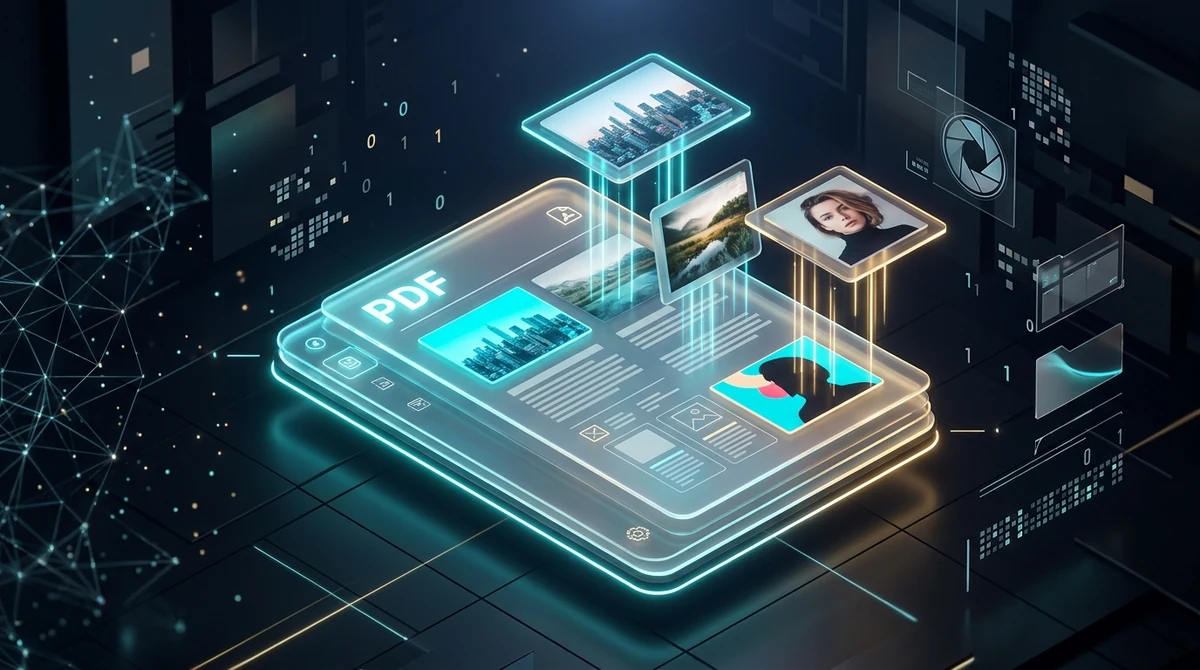
To extract images from a PDF online for free, you parse the document structure to extract embedded raster image streams (XObjects) directly without recompressing pixels. Using the AZ2PDF Extract PDF Images tool, you can isolate every photo, diagram, and transparent PNG graphic at native resolution and download them in an organized ZIP file with zero watermarks and complete privacy.
- Zero generational quality loss: Unlike taking screenshots or converting full pages, raw extraction exports original embedded JPG and PNG files at their native resolution without blur or recompression artifacts.
- Automatic alpha transparency composite: Recombines split RGB color streams with soft mask (SMask) channels to restore true transparent PNG graphics instead of ugly black backgrounds.
- Smart asset deduplication: Hashes image byte streams and pixel matrices to eliminate duplicate logos or header icons repeated across dozens of pages.
- 100 percent free with ephemeral security: No subscription fees, no accounts, and no watermarks, with files processed in memory and purged automatically within five minutes.
Why extract embedded images instead of taking screenshots or converting pages
PDF documents serve as universal containers for publishing complex multimedia assets, including high-resolution marketing photographs, scientific microscopy captures, product catalogs, corporate brochures, and vector logos. However, retrieving those visual assets once a document is compiled often leads users to adopt flawed, destructive workarounds.
When you need to harvest photos from a document, you typically encounter three distinct approaches:
- The screenshot trap: Taking manual desktop or mobile screenshots captures only what is currently rendered on your screen. This artificially caps resolution at standard display densities (usually 72 to 96 DPI), captures unsightly anti-aliasing artifacts from overlapping text, and often contaminates your images with mouse cursors, scrollbars, or cropped margins.
- Full page rasterization (PDF to JPG): Converting an entire PDF sheet into an image renders every element on the canvas together, flattening text columns, headers, footers, and page numbers onto the graphic. If your objective is to retrieve an isolated photo of a product or a standalone company logo, full-page conversion forces you into tedious manual cropping in graphic design software.
- Direct embedded stream extraction: A dedicated asset extraction engine interrogates the underlying document code to locate the exact binary image streams placed by the original author. It retrieves each photographic asset in isolation at 100 percent of its native camera or design resolution, completely free of surrounding text or page margins.
By extracting embedded image streams directly, you ensure zero generational quality loss, preserving exact pixel dimensions, raw color spaces, and sharp edge definitions for reuse in print, web design, or digital archives.
Rather than taking blurry screen captures of diagrams, the AZ2PDF Extract PDF Images tool extracts embedded photographic streams in their native resolution, color space, and original bitmap compression.
How PDF documents store images: Understanding ISO 32000 XObjects
To understand why direct extraction is superior to screen capture, it helps to examine how the International Organization for Standardization (ISO 32000 standard) organizes graphic assets inside a PDF file.
A digital PDF is essentially a structured hierarchical database composed of indirect objects, dictionaries, and content streams:
- The page content stream: Each page possesses a /Contents stream written in PostScript-like operator instructions. This stream dictates where text characters are drawn, where vector lines stroke, and where external graphics are placed using coordinate transformation matrices.
- External objects (/XObject): Raster pictures are not stored directly within the text layout code. Instead, they reside in a centralized /Resources dictionary as independent entities classified as /XObject with a subtype of /Image (/Subtype /Image).
- Raw compression filters: When an author inserts a photograph, the PDF compilation software wraps the original compressed binary stream with an appropriate filter dictionary. Standard continuous-tone JPEG photographs are stored while lossless bitmap graphics and screenshots are packaged with DEFLATE stream compression (/Filter /FlateDecode).
How to extract images from PDF online in 3 simple steps
Retrieving every embedded photograph and graphic asset from complex multi-page PDF documents takes only moments or click the file selection button to browse your local device. The file initializes immediately without queue delays or mandatory sign-ins.
Step 2: Automated object audit and extraction engine
Click the Extract Images button. The system scans the internal document architecture, identifies all embedded photo dictionaries, executes automatic transparency mask compositing, and filters duplicate graphics across all pages.
Step 3: Download your organized ZIP archive
Once processing finishes, click the Download button. You will receive a clean, organized ZIP archive containing all extracted pictures sequentially numbered as clean image files (such as image-001.png, image-002.png). All assets are 100 percent free of promotional watermarks or resolution throttling.
The transparency challenge: How automatic alpha mask compositing prevents black backgrounds
One of the most persistent frustrations users face when extracting graphics from PDF files is the sudden appearance of pitch-black rectangular backgrounds behind transparent logos and cut-out graphics.
This issue stems from the deliberate architecture of the PDF specification:
- Split graphic streams: Unlike standalone modern PNG images, which store red, green, blue, and alpha transparency channels together in a unified 32-bit RGBA pixel matrix, PDF documents historically separate transparent elements into two completely detached objects.
- The base RGB color stream: The first object contains only the 24-bit color data (/DeviceRGB). Because it lacks an alpha channel, all transparent areas default to opaque black or neutral white.
- The soft mask (/SMask) stream: The second object is an 8-bit grayscale bitmap (/DeviceGray) that functions as a transparency stencil. White pixels represent full opacity, black pixels represent complete transparency, and shades of gray represent semi-transparent drop shadows.
Inferior online extraction scripts simply dump every raw stream they find onto your drive. This leaves you with two useless files for every logo: a photo with an ugly black silhouette and an unreadable grayscale mask.
The AZ2PDF processing pipeline solves this problem automatically. Our high-performance Rust sidecar analyzes image metadata via Poppler utilities. When it detects an RGB image paired with a corresponding /SMask or stencil dictionary, it loads both streams in memory, verifies matching coordinate dimensions, and composites the grayscale values directly into a clean 32-bit RGBA pixel matrix. The result is a pristine, transparent PNG image that seamlessly preserves logos, icons, and translucent drop shadows.
Eliminating repetitive assets: Smart image deduplication and spacer filtering
In extensive business publications, corporate annual reports, and university textbooks, certain graphic assets repeat on every single page. A company logo might appear in the header of 150 consecutive sheets, while decorative footer icons recur throughout entire chapters.
Conventional extraction utilities treat each page reference as a brand-new image, forcing you to sift through hundreds of identical logo duplicates inside your download folder. Furthermore, many desktop publishing tools insert invisible 1x1 or 2x2 pixel transparent spacers to control typographic margins and table column alignments.
AZ2PDF eliminates this digital clutter through an intelligent multi-stage filtering algorithm:
- Pixel and byte content hashing: Every extracted image stream passes through a fast 64-bit hashing algorithm that evaluates raw pixel byte buffers alongside physical width and height dimensions. If multiple pages point to identical image data, the engine records the asset once and suppresses redundant duplicates.
- Micro-spacer suppression: The pipeline automatically detects and discards non-informative divider pixels (such as 1x1, 1x2, or 2x2 pixel blocks) that serve solely as typographical layout shims.
This curation ensures your resulting ZIP package contains only meaningful, unique creative assets, saving valuable storage space and sorting time.
If you require entire formatted layouts containing text and vector callouts rather than isolated photos, you can simply render complete pages as high-resolution JPG images for full-sheet publishing.
Privacy first: Why ephemeral memory processing protects your creative assets
PDF documents frequently hold confidential company materials: unreleased product prototypes, proprietary engineering schematics, legal evidence photography, and private identity documentation. Entrusting these visual records to unverified online converters creates serious risks of intellectual property theft and unauthorized data retention.
At AZ2PDF free online PDF tools, privacy is integrated directly into the infrastructure:
- Ephemeral in-memory execution: Uploaded files are routed into isolated, volatile server memory buffers. Document assets are extracted without writing persistent copies to long-term hard drives or external storage arrays.
- Automated five-minute purge daemon: A dedicated background process actively audits memory workspaces, purging temporary allocations and processed archives within five minutes of completion.
- Zero AI training and zero telemetry sharing: Your creative assets, diagrams, and photos are never inspected, indexed, shared with third-party vendors, or utilized to train machine learning algorithms.
- 100 percent free accessibility: All extraction features operate completely free with no subscription barriers, no hidden credits, no page volume caps, and no email registration requirements.
Comparing extraction methods: Free online tool versus desktop software
Depending on your technical background and available software licenses, several methods exist for retrieving pictures from PDF documents:
Option 1: Modern in-browser extraction on AZ2PDF
This method offers the fastest, most balanced workflow for professionals and everyday users alike. It runs directly inside modern web browsers across Windows, macOS, Linux, iOS, and Android without software installation. It automatically resolves complex alpha transparency channels, filters duplicate header graphics, and packages assets into a tidy ZIP archive, all completely free of charge.
Option 2: Commercial desktop suites like Adobe Acrobat Pro
Adobe Acrobat Pro provides a built-in export feature that can extract images from PDF documents. However, this functionality requires an ongoing subscription costing roughly $240 per year, accompanied by a multi-gigabyte software installation that consumes substantial system resources. For users who only need to extract pictures occasionally, a dedicated desktop subscription is unnecessary.
Option 3: Command-line utilities (pdfimages)
For systems administrators and developers, command-line tools like Poppler pdfimages offer robust native extraction capabilities. While exceptionally fast and scriptable, this method requires terminal expertise, Homebrew or package manager configuration, and careful parameter flags (-png, -list) to avoid generating raw PPM files or separated mask channels. For non-technical team members, web-based automation provides the same underlying power without the command-line barrier.
Connected workflows: What to do after extracting your images
Extracting raw pictures is frequently just the initial phase of a broader creative or publishing project. Once your images are safely stored on your device, you can connect them into multiple downstream document workflows:
- Recompile curated images into a new PDF: If you sorted, color-corrected, or cropped your extracted photos, you can bundle them back into an elegant, sequential document re-save your document with optimized raster settings through the AZ2PDF Compress PDF tool.
- Recognize text locked within photo scans: If your extracted pictures contain photographed textbook pages or scanned paper invoices, convert those image pixels into selectable, copyable text switch to the full-canvas AZ2PDF PDF to JPG converter.
If you need to render complete pages as standalone pictures rather than isolating individual graphics, you can effortlessly convert PDF pages to JPG images online.
Harvest high-resolution graphics and media assets with the free browser document processing suite, which operates locally to protect your proprietary artwork from remote exposure.
Troubleshooting common PDF image extraction issues
If your extraction results differ from your expectations, these practical explanations clarify the most frequent technical scenarios:
1. Vector illustrations and charts are missing from the ZIP archive
Architectural blueprints, corporate bar charts, and typography drawn directly in vector software (such as Adobe Illustrator or AutoCAD) are not raster images. They are composed of mathematical Bezier curves, stroke operators, and font glyphs stored in the page /Contents stream. Because they do not contain /XObject /Image bitmaps, an image extractor will not pull them out. To capture vector graphics as pictures, use the full-page PDF to JPG tool or crop the specific region using Crop PDF.
2. A multi-page document yields only one massive image
If a 10-page document exports only a few massive pictures that match the page dimensions, the source document was likely created by a paper desktop scanner. Scanners digitize paper sheets by capturing the entire page as a single photographic snapshot. In this scenario, the text and images are already baked together into one continuous raster layer.
3. The extraction fails due to document encryption
PDF documents protected with an owner permissions password can deliberately restrict content copying and asset extraction. If your file is encrypted, you must supply the authorized password to unlock the document permissions before the extraction engine can access the internal object catalog.
Frequently asked questions
❓ Frequently asked questions
Yes. The extraction tool is 100% free with no subscription plans, no usage limits, no credit card requirements, and no promotional watermarks embedded into your downloaded pictures.
Related articles in this topic
Deep dive into related document organization and page manipulation workflows.

How to convert WebP to PDF online for free (lossless and fast)
Learn how to convert WebP images into high-quality PDF documents online for free. Combine multiple photos into one clean PDF without blur, watermarks, or data risks.
How to convert PDF to JPG images online (free, high-resolution 300 DPI)
Learn how to convert PDF pages into high-resolution JPG images online for free. Extract presentation slides, certificates, and multi-page documents at 300 DPI with zero quality loss.
How to convert images to PDF online for free (fast and secure)
Combine JPG, PNG, and WebP photos into one organized PDF document online for free. Keep original photo quality with zero watermark and complete privacy.

How to convert JPG to PDF online for free (fast and private)
Convert JPG and JPEG images to clean, multi-page PDF documents online for free. Keep original photo quality with zero generational loss and complete privacy.
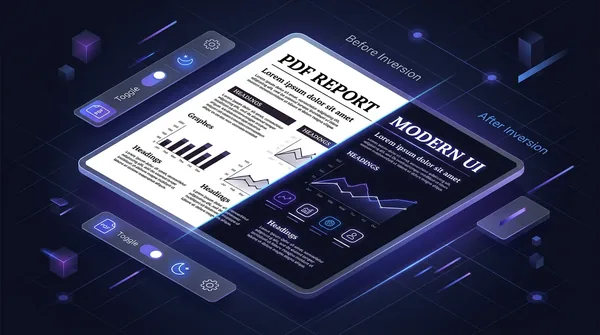
How to invert PDF colors for dark mode online (free and eye friendly)
Learn how to invert PDF colors to high-contrast dark mode online for free. Eliminate eye strain, save OLED battery, and keep vector text 100% sharp and searchable.
How to remove all images from a PDF file online for free (pure text and vectors)
Learn how to strip embedded raster images, photos, and backgrounds from PDF files online for free. Keep sharp vector text, save printer ink, and slash file sizes.