How to convert JPG to PDF online for free (fast and private)

Quick summary
To convert JPG images to PDF online for free, upload your JPG or JPEG files to the AZ2PDF JPG to PDF converter. The engine encapsulates each photograph into standard PDF pages matching original dimensions, eliminating generational compression loss with zero watermarks and automated five-minute memory purging.
- 100 percent free with no watermarks: Convert unlimited JPG and JPEG files without subscriptions, hidden fees, or branded stamps.
- Zero generational compression loss: Photos are embedded directly into PDF object streams, preserving original camera detail and sharpness.
- Automatic layout and orientation: Intelligently respects EXIF camera rotation and matches page dimensions to avoid awkward cropping.
- Ephemeral memory security: Documents process in isolated memory buffers and are permanently purged within five minutes.
Why convert JPG photos to a single PDF document?
Smartphones have effectively replaced traditional flatbed office scanners. Throughout the workweek, people routinely snap photos of business receipts, signed paper contracts, real estate leases, medical prescriptions, vaccination records, and government identity cards. However, while taking a photo takes only a split second, distributing those individual JPG files often triggers immediate friction.
Sending ten separate JPG attachments clutters email chains, causes images to arrive out of order, and frequently triggers corporate spam filters. More critically, official web portals across government immigration agencies, tax bureaus, university registrar offices, insurance claims departments, and legal courts almost universally reject loose image uploads. Instead, these institutional systems strictly require a single, standardized PDF document.
Converting your JPG photos into a structured PDF document solves several major document challenges:
- Guaranteed chronological sequence: Loose image files sort unpredictably by camera timestamp, file name, or operating system quirks. A PDF binds your pages in the exact sequence you choose, ensuring that page two never precedes page one during an official review.
- Universal cross-platform fidelity: Governed by the ISO 32000 international standard, a PDF appears identical whether opened on an iPhone, an Android tablet, a Mac, or a Windows workstation. You never need to worry about whether the recipient has specific photo gallery software installed.
- Pristine, predictable printing: When you attempt to print raw JPG files from desktop photo viewers, images frequently stretch, cut off margins, or print with awkward white borders. A PDF defines exact physical page boundaries such as A4 or US Letter, guaranteeing clean, predictable printouts every time.
- Official document compliance: Assembling related records, such as an identity card and proof of address, into a single PDF portfolio satisfies institutional submission standards immediately, eliminating delayed applications and rejected paperwork.
Transforming camera shots and photo collections into professional documentation is straightforward with the AZ2PDF JPG to PDF converter. It organizes multiple JPG files into a cohesive multi-page document with customizable page orientation.
Transforming camera shots and photo collections into professional documentation is straightforward with the AZ2PDF JPG to PDF converter. It organizes multiple JPG files into a cohesive multi-page document with customizable page orientation.
How JPEG encapsulation works inside a PDF container
To understand why document conversion quality varies wildly across different websites, it helps to explore how the JPEG image format interacts with the internal architecture of a PDF document:
- The JPEG compression model: The Joint Photographic Experts Group (JPEG/JPG) format is a 24-bit RGB raster bitmap standard that utilizes lossy Discrete Cosine Transform (DCT) compression. It is specifically designed to compress real-world photographic scenes by discarding subtle color variations that the human eye cannot easily perceive, keeping photo file sizes relatively small.
- The PDF document architecture: In contrast, a PDF is not a flat image file. It is an object-oriented document tree composed of vectors, typographic font glyphs, and embedded resource dictionaries known as XObjects.
- The trap of generational compression loss: Many legacy web utilities execute conversion naively. When you upload a JPG, their server decompresses the file into raw uncompressed pixels, applies arbitrary resizing algorithms, and then re-encodes the image as a new JPEG with an aggressive 70 percent quality factor. This process, known in document engineering as transcoding or generational loss, introduces severe visual artifacts: fuzzy halos appear around printed letters, fine handwriting becomes muddy, and colored backgrounds develop visible pixel banding.
- Direct stream encapsulation: A modern, high-grade conversion engine takes a far smarter approach. Because the PDF standard natively supports DCT-encoded image streams, the engine can encapsulate the original JPEG byte stream directly into a PDF Image XObject dictionary without re-compressing or altering the pixel data.
By bypassing unnecessary re-encoding cycles, AZ2PDF preserves 100 percent of your original photographic detail, ensuring fine print, serial numbers, and signatures remain as sharp as the original camera capture.
Managing aspect ratios, margins, and page orientation
A frequent stumbling block when compiling photos into a PDF is the geometry clash between camera sensors and paper sizes. Digital cameras and smartphone sensors capture pictures in distinct aspect ratios:
- 4:3 aspect ratio: The native format for most smartphones and tablets.
- 3:2 aspect ratio: Standard for professional DSLR and mirrorless cameras.
- 16:9 aspect ratio: Common for panoramic landscape shots and presentation graphics.
In contrast, standard office paperwork follows standardized paper dimensions: ISO 216 standard A4 paper measures 210 by 297 millimeters with an aspect ratio of 1:1.414, while North American US Letter measures 8.5 by 11 inches with an aspect ratio of 1:1.294. If a converter forces a 4:3 smartphone photo to fill an A4 page without maintaining proportions, the image stretches unnaturally: circular corporate stamps become ovals, and face portraits appear distorted.
To produce a clean, professional document, you can choose between two primary layout approaches:
1. Fit to Image (1:1 geometric bounding box)
In this mode, the PDF page dimensions (MediaBox) are generated to match the exact pixel dimensions of your photo. If your camera took a photo measuring 3024 by 4032 pixels, the PDF page adopts that exact coordinate box. The image fills 100 percent of the canvas with zero cropping, zero white margins, and zero aspect ratio distortion. This is the optimal configuration for photographic portfolios, visual evidence, and digital art displays.
2. Fit to Page with clean margins
When compiling receipts, invoices, or signed contracts that will ultimately be printed on physical paper or stored in physical filing binders, choosing a standard paper size like A4 or US Letter is preferable. The engine scales each photo proportionally to fit comfortably inside the printable boundaries of the page while maintaining uniform margins. These margins prevent critical text or signatures from being clipped by printer feed rollers, three-ring hole punches, or binder staples.
Solving the smartphone EXIF orientation puzzle
Almost everyone has experienced the annoyance of uploading a vertical smartphone photo of a document, only to find that it appears rotated sideways or upside down on the screen. Understanding why this happens reveals why intelligent metadata parsing is crucial.
When you hold your smartphone vertically to photograph a document on your desk, the camera sensor does not physically rotate its pixel grid. Instead, the phone internal gravity sensor (accelerometer) detects how you are holding the device and records an orientation flag (values 1 through 8) inside the Exchangeable Image File Format (EXIF) metadata header of the file.
Many basic web scripts read only the raw pixel matrix starting from the top-left coordinate, completely ignoring the EXIF orientation tag. As a result, portrait documents are displayed in landscape orientation, forcing recipients to crane their necks or struggle with manual viewer rotation.
A sophisticated conversion pipeline automatically parses EXIF orientation headers upon upload, adjusting the page coordinate matrix so that every document page stands upright automatically. Furthermore, you can review live thumbnail previews in the workspace and click instant 90-degree rotation controls to adjust individual pages before compiling your final file.
After compiling multi-megapixel camera shots into a single document, remember to reduce file size after image conversion to optimize visual density and facilitate instant email sharing.
Privacy first: Protecting sensitive personal documents
The JPG photographs users convert to PDF are rarely trivial stock images. They frequently contain highly sensitive personal and commercial records: passport photo pages for visa applications, driver licenses for identity verification, payroll checks, bank statements, proprietary contracts, and private medical bills.
Many legacy web conversion sites monetize user traffic by saving uploaded files onto unencrypted server hard drives, retaining documents for days or weeks. Some questionable services even share uploaded content with advertising networks or scrape private documents to feed commercial artificial intelligence training models. Entrusting confidential identity records to such platforms exposes users to severe data theft and compliance hazards.
At AZ2PDF free online PDF tools, privacy is engineered directly into every step of the conversion pipeline:
- Ephemeral in-memory buffers: Uploaded images process directly within isolated temporary memory allocations on high-speed NVMe storage. Files are never written to permanent disk storage, external databases, or long-term caching arrays.
- Automated five-minute purge daemon: An automated background daemon continuously scans and wipes temporary file buffers within five minutes of conversion completion.
- Zero data retention and zero AI training: Your files are never inspected, indexed, shared with third parties, or used to train machine learning models. Your personal records remain strictly your confidential property.
- 100 percent free accessibility: All features are accessible completely free without requiring user registrations, paid subscription tiers, or promotional watermarks stamped onto your output.
After compiling multi-megapixel camera shots into a single document, remember to reduce file size after image conversion to optimize visual density and facilitate instant email sharing.
How to convert JPG to PDF online in 3 simple steps
Transforming your collection of photos into a neat, standardized document takes only a few seconds tablet, or smartphone. Drag and drop your JPG or JPEG files directly into the upload area, or click the file selection button to choose images from your device. Thumbnail previews load instantly. You can easily drag individual thumbnails to arrange the exact page sequence you want.
Step 2: Choose page sizing and orientation
Select your desired layout configuration. Set page orientation to Auto to let the engine match each photo naturally, or lock all pages to Portrait or Landscape. Choose Fit to Image for zero-margin edge-to-edge photos, or select standard A4 or US Letter page templates with neat margins for printable office paperwork.
Step 3: Download your consolidated PDF
Click the Convert button. The native processing engine compiles your images into a structured PDF document in milliseconds. Click Download to save your finished document directly to your device, completely free of watermarks or advertising stamps.
Downstream workflows for your converted PDF
Once you have converted your JPG photos into a unified PDF document, you can leverage additional free tools within the AZ2PDF ecosystem to prepare your file for delivery:
- Compress high-megapixel camera files: Modern 48-megapixel or 108-megapixel smartphone cameras capture immense detail, but compiling several shots can create a 40MB or 50MB PDF that exceeds the 25MB attachment ceiling of Gmail or Outlook. Run your new document through the AZ2PDF Compress PDF tool to shrink the file size by up to 80 percent while keeping text sharp and legible.
- Sign and date paper forms digitally: If your photographed document represents an agreement, lease, or application that requires an official signature, open the converted PDF in the AZ2PDF PDF Editor to draw your handwritten signature, insert today date, or fill in missing form fields.
- Merge with existing corporate reports: If your photos serve as supporting appendices or visual receipts for an existing proposal, use the AZ2PDF Merge PDF tool to combine your photo document with existing PDF reports into a single cohesive dossier.
- Extract pages back into JPG images: If you ever need to extract individual visual pages back into high-resolution JPG images for social media posts or presentation slides, the AZ2PDF PDF to JPG tool performs the reverse transformation in seconds.
Enjoy rapid, high-fidelity visual conversions via the AZ2PDF image to PDF conversion suite, where client-side memory safety ensures your personal photos are never transmitted to third-party cloud servers.
Troubleshooting common JPG to PDF conversion issues
If your converted document needs a quick adjustment, here are simple solutions to the three most frequent situations:
1. The generated PDF file is too large to email
High-resolution smartphone cameras capture photos at 12 to 48 megapixels, with individual image files taking 4MB to 10MB of storage. Compiling six such images can easily create a 45MB PDF that gets bounced by email servers. Rather than settling for blurry downscaled photos, simply pass the generated PDF through our free compression tool to optimize the internal image streams, bringing the file size down to just 3MB to 5MB while preserving clear legibility.
2. Photos look slightly blurry or grainy when printed
Computer monitors and smartphones display images at 72 to 150 DPI, which can make a mediocre photo look deceptively sharp on screen. However, physical paper printing requires 300 DPI for crisp results. When photographing documents, ensure strong natural lighting, avoid harsh shadows, and hold your phone completely steady to ensure maximum optical clarity.
3. Paper edges appear tilted or trapezoidal
Photographing a paper document from an angle creates perspective distortion (keystoning), where the top of the sheet appears narrower than the bottom. For best results, place the paper on a flat, contrasting surface, hold your smartphone parallel directly above the document, and frame the sheet neatly before snapping the picture.
Frequently asked questions
Enjoy rapid, high-fidelity visual conversions via the AZ2PDF image to PDF conversion suite, where client-side memory safety ensures your personal photos are never transmitted to third-party cloud servers.
❓ Frequently asked questions
Yes. The tool is 100 percent free to use with no account registration, no credit card requirements, no daily conversion caps, and zero watermarks stamped on your downloaded PDF documents.
Related articles in this topic
Deep dive into related document organization and page manipulation workflows.
How to convert PDF to JPG images online (free, high-resolution 300 DPI)
Learn how to convert PDF pages into high-resolution JPG images online for free. Extract presentation slides, certificates, and multi-page documents at 300 DPI with zero quality loss.
How to convert images to PDF online for free (fast and secure)
Combine JPG, PNG, and WebP photos into one organized PDF document online for free. Keep original photo quality with zero watermark and complete privacy.
How to convert PNG to PDF online for free (lossless and sharp)
Convert PNG images and screenshots to clean, multi-page PDF documents online for free. Keep sharp line art, alpha transparency, and full privacy in your browser.

How to convert WebP to PDF online for free (lossless and fast)
Learn how to convert WebP images into high-quality PDF documents online for free. Combine multiple photos into one clean PDF without blur, watermarks, or data risks.
How to convert multi-page PDF to a single continuous page (free online tool)
Convert multi-page PDF documents into one continuous vertical scrolling page. Remove artificial page breaks, preserve vector text quality, and process files 100% free in your browser.
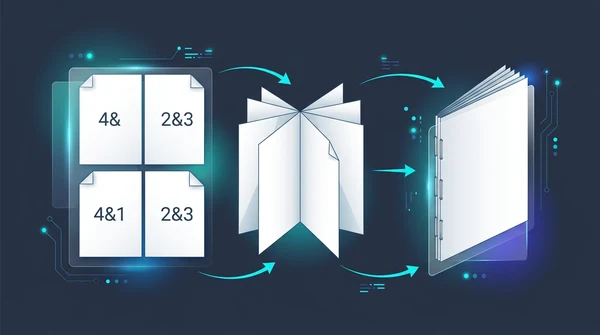
How to create a PDF booklet for printing (free double-sided imposition)
Learn how to turn any PDF into a foldable, double-sided booklet for printing. Reorder pages for saddle-stitch binding without paying for expensive software.