How to convert PDF to ISO-standard PDF/A for long-term archiving
Quick summary
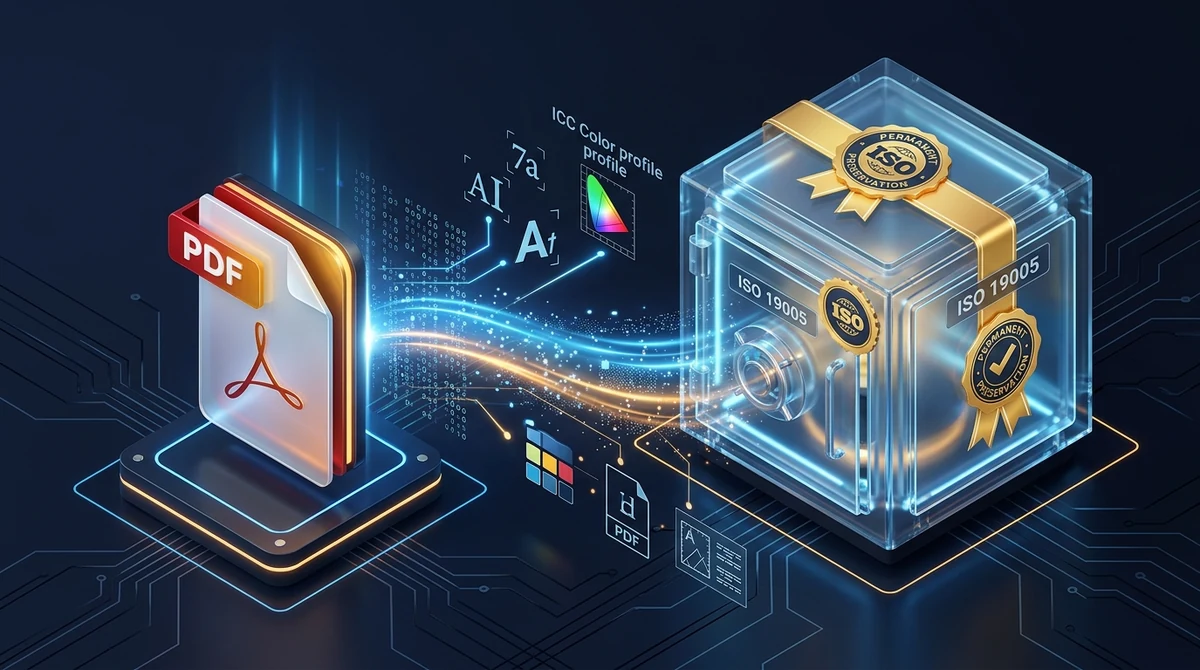
To convert a PDF to PDF/A for long-term archiving without paying for Adobe Acrobat, upload your file to AZ2PDF PDF to PDF/A. The conversion engine embeds missing font programs, applies device-independent ICC color profiles, strips unsafe dynamic scripts, and injects ISO 19005-compliant XMP metadata, guaranteeing that contracts, court filings, and research papers remain visually identical decades into the future.
- 100 percent self-contained files: PDF/A embeds every font glyph and color profile inside the file, ensuring identical rendering even on devices that lack the original software.
- Eliminates dynamic vulnerabilities: Strips out executable JavaScript, embedded audio or video, and external server links that could break or pose security risks over decades.
- Satisfies strict legal and archival mandates: Fully compliant with court e-filing systems, national archive retention standards, and academic university repository requirements.
- Free and confidential in-memory conversion: Completely free with zero watermarks or account sign-ups, processed in ephemeral memory buffers that purge automatically after download.
Why standard PDFs fail long-term preservation tests
Most professionals assume that once a document is exported as a PDF, it is permanently preserved. You draft a twenty-year commercial lease, a corporate merger agreement, a patent application, or a doctoral dissertation, export it as a standard PDF file, and assume that anyone opening it decades from now will see exactly what you see today. Unfortunately, digital document archiving is far more fragile than paper in a climate-controlled vault.
Standard PDF documents (governed by ISO 32000) were engineered primarily for versatile digital distribution, dynamic document interactions, and screen previews. To keep file sizes small and maximize daily convenience, standard PDFs often omit essential rendering components. Instead of embedding full font software, they frequently rely on system fonts installed on the viewer computer. Instead of defining absolute color profiles, they specify raw device colors. Instead of freezing content permanently, they permit embedded JavaScript, external web links, dynamic multimedia streams, and temporary form field widgets.
Over a span of ten, thirty, or fifty years, these shortcuts trigger catastrophic visual degradation:
- Missing system fonts and glyph substitution: If your original document uses a proprietary corporate font or an operating system typeface that becomes obsolete or unavailable on future computers, the viewing application will silently substitute a generic fallback font like Courier or Times. This shifts margins, clips signatures, wraps text onto unexpected pages, and can even alter legal meaning.
- Uncontrolled color shifts: Without an embedded International Color Consortium (ICC) output intent, colors defined as raw RGB or CMYK display differently depending on the monitor, graphics card, and operating system. In engineering schematics or medical imaging records, shifting color palettes can obscure critical technical details.
- Broken dynamic links and malicious scripts: Standard PDFs can execute embedded JavaScript or reference media files hosted on external web servers. When those remote domains expire, interactive elements crash. Furthermore, security software on future operating systems will routinely quarantine or refuse to open older documents containing executable script code.
To eliminate these vulnerabilities, the International Organization for Standardization developed PDF/A (ISO 19005), a specialized subset of the PDF format explicitly created for permanent, reliable digital preservation.
Guarantee document legibility decades into the future by standardizing files with the AZ2PDF PDF/A converter. It embeds missing font glyphs, removes external object references, and enforces ISO 19005 archiving compliance.
What makes PDF/A different from regular PDF documents?
The core architectural principle of PDF/A is complete electronic self-containment. Everything required to render every single page with 100 percent visual fidelity must reside directly inside the binary file itself, with zero reliance on external operating systems, external font directories, or third-party web services.
To achieve this unyielding permanence, the ISO 19005 specification establishes strict technical boundaries defining what must be included and what is strictly forbidden.
Mandatory technical requirements in PDF/A
Every compliant PDF/A document must satisfy four fundamental rules:
- 100 percent embedded font programs: All fonts used in the document must have their complete character glyph outlines embedded directly within the file structure. Even ubiquitous typefaces like Arial, Helvetica, and Times New Roman must be fully embedded so that the document renders identically even on an operating system created fifty years from now.
- Device-independent color management: All color spaces must be precisely calibrated using standardized ICC color profiles or device-independent CIE color spaces. The file must declare an explicit Output Intent dictionary defining the exact intended visual environment.
- Standardized XMP metadata: Document properties (such as title, author, creation date, modification history, and formal PDF/A conformance level) must be stored in extensible XML format conforming to the Extensible Metadata Platform (XMP) specification. This enables search engines, archival crawlers, and library indexers to catalog the file without parsing internal binary streams.
- Consistent logical page geometry: All page boundaries (MediaBox, CropBox, BleedBox, TrimBox, and ArtBox) must be explicitly defined and mathematically unambiguous.
Features strictly prohibited in PDF/A
To guarantee security and eliminate software dependency, PDF/A strictly forbids several features commonly found in standard PDFs:
- Encryption and passwords: PDF/A strictly prohibits encryption dictionaries and open passwords. If a file were encrypted, lost passphrases or obsolete decryption algorithms would permanently lock future generations out of vital historical records.
- Executable JavaScript and launch actions: Code execution inside documents presents severe cybersecurity vulnerabilities and will inevitably fail when runtime environments evolve. PDF/A bans all script execution.
- Audio, video, and 3D multimedia streams: Proprietary audio and video codecs become obsolete rapidly. A document that relies on Flash or specific video players cannot guarantee long-term accessibility.
- External reference streams: Documents cannot reference fonts, images, or assets stored on remote web servers or external file systems. Every byte needed to display the page must be packaged internally.
Understanding PDF/A versions and conformance levels
When preparing documents for institutional archives or legal portals, you will encounter various designations such as PDF/A-1b, PDF/A-2b, or PDF/A-3u. Understanding these labels helps ensure your submissions pass validation audits on the first attempt.
The standard is organized into progressive versions based on underlying PDF specifications, combined with conformance letters that define structural depth.
The four generational versions of PDF/A
PDF/A-1 (ISO 19005-1, published in 2005): Based on PDF 1.4. This is the earliest archival standard. While widely recognized, it is technically restrictive: it strictly forbids transparency effects and layers. If your document has drop shadows, translucent watermarks, or overlapping alpha channels, PDF/A-1 forces them to be flattened into raster bitmaps, often increasing file size.
PDF/A-2 (ISO 19005-2, published in 2011): Based on PDF 1.7 (ISO 32000-1). This is the modern, versatile sweet spot for electronic document preservation. PDF/A-2 natively supports alpha transparency, JPEG 2000 advanced image compression, embedded PDF/A sub-documents, and optional content layers. It preserves contemporary graphic design flawlessly without rasterizing vector art. AZ2PDF uses this advanced ISO 19005-2 standard for its conversion engine.
PDF/A-3 (ISO 19005-3, published in 2012): Also based on PDF 1.7, PDF/A-3 introduces one specific addition: it allows embedding raw auxiliary files in any format (such as XML, CSV, spreadsheets, or CAD drawings) inside the PDF container. This standard is widely mandated across Europe for electronic invoicing frameworks like ZUGFeRD and Factur-X, where human-readable invoices carry machine-readable XML attachments.
PDF/A-4 (ISO 19005-4, published in 2020): Based on PDF 2.0 (ISO 32000-2). It updates color handling and streamlines conformance levels into PDF/A-4, PDF/A-4f (permitting file attachments), and PDF/A-4e (engineering documents with 3D models).
The three conformance levels: b, u, and a
Within each version, conformance letters specify how deeply the document is structured:
Level B (Basic Visual Conformance): Guarantees that the visual appearance of the document will remain 100 percent identical over time. All fonts are embedded, colors are standardized, and unpermitted elements are eliminated. This is the most common requirement for legal, commercial, and court filings.
Level U (Unicode Conformance): Includes all Level B visual guarantees while adding mandatory Unicode character mapping. Every single glyph must map to an unambiguous Unicode code point, ensuring that text can be reliably selected, copied, and searched across multiple languages.
Level A (Accessible Structural Conformance): The highest and most demanding tier. In addition to visual fidelity and Unicode text mapping, Level A requires Tagged PDF architecture. The document must define a logical reading order, heading hierarchies (H1, H2, H3), table structure tags, and descriptive alternative text for images so that screen readers can assist visually impaired readers.
Who mandates PDF/A and why does compliance matter?
PDF/A is not merely a theoretical recommendation; it is an active legal and administrative mandate enforced across industries worldwide.
1. Judicial systems and court electronic filing
Federal and state court systems (including the United States Federal CM/ECF and PACER systems, as well as European commercial courts) mandate PDF/A for pleadings, motions, and evidence. Standard PDFs with dynamic form scripts or un-embedded fonts are routinely rejected by court filing gateways because judicial archives must preserve unalterable records for generations.
2. Government record retention and national archives
Government agencies and public bodies must comply with statutory record-keeping laws (such as National Archives and Records Administration guidelines in the United States and equivalent directives in the United Kingdom, Germany, and the European Union). Government contracts, public gazettes, municipal ordinances, and regulatory filings must be submitted in PDF/A format to enter permanent public archives.
3. Academic research and university dissertations
Universities require master theses and doctoral dissertations to be deposited in institutional digital repositories exclusively as PDF/A. This ensures that decades of scientific research, mathematical equations, and scholarly citations remain fully readable and searchable for future students and researchers.
4. Financial auditing, tax records, and healthcare compliance
Corporate compliance frameworks (such as Sarbanes-Oxley, HIPAA, and statutory tax audit rules) require companies to retain invoices, annual audits, and patient treatment histories for seven to thirty years. Storing financial and medical records in PDF/A protects organizations against data degradation and legal penalties during retroactive audits.
5. Architectural blueprints and construction warranties
Major infrastructure projects, commercial skyscrapers, and municipal works carry structural warranties spanning decades. Engineering firms archive as-built schematics, inspection logs, and material certifications in PDF/A-2 to ensure project records survive technological transitions.
How to convert any PDF to PDF/A online in 3 simple steps
You do not need to purchase expensive desktop publishing software or navigate convoluted pre-flight settings to prepare your files for archiving. You can generate compliant archival documents directly inside your browser. Here is the straightforward process:
Step 1: Select your PDF document
Open the tool in your web browser on desktop or mobile. Drag and drop your standard PDF file into the upload zone, or click the file picker button to select it from your local storage drive.
Step 2: Automated ISO archival transformation
The system analyzes your document structure, inspects font libraries, embeds missing glyph outlines, applies device-independent ICC color profiles, eliminates hazardous dynamic scripts, and writes standard ISO 19005-compliant XMP metadata directly into the document header.
Step 3: Download your standardized PDF/A file
Click the download button to save your certified archival document immediately. Your file is 100 percent free of promotional watermarks, requires no account sign-up, and is ready for immediate submission to courts, academic libraries, or institutional archives.
If you need to optimize, organize, or secure other business records, you can explore the complete suite of AZ2PDF free online PDF tools without recurring subscription costs.
For formal legal filings and institutional compliance records, verifying digital signatures and structural integrity before archiving ensures that certificate chains and document integrity remain intact.
Comparing conversion options: Free online tools vs. Adobe Acrobat Pro vs. Print-to-PDF
When tasked with converting a PDF into an archival standard, professionals typically weigh three different approaches. Understanding their strengths and technical drawbacks helps you select the right method for your workflow:
Option 1: Modern free online converters (AZ2PDF)
This is the fastest, most accessible method for business professionals, legal clerks, and students. The conversion engine runs on optimized server backends using specialized preservation engines like Ghostscript. It handles full font embedding, color standardization, script removal, and XMP tagging automatically in seconds. It requires zero software installation, works on any modern operating system, costs nothing, and does not stamp advertising watermarks onto your official records.
Option 2: Heavyweight desktop publishing software (Adobe Acrobat Pro)
Adobe Acrobat Pro provides a comprehensive Preflight tool capable of analyzing PDF/A compliance, repairing syntax errors, and generating detailed audit validation reports. However, it requires a hefty recurring annual subscription exceeding $239 per year, requires gigabytes of local drive space, and presents a complex technical user interface with hundreds of confusing pre-flight profiles that overwhelm non-technical users.
Option 3: Browser Print-to-PDF (A dangerous shortcut)
Some users attempt to create PDF/A files by opening their PDF in Google Chrome or Microsoft Edge and choosing Print to PDF. This is a severe mistake. Virtual printer drivers do not generate ISO 19005-compliant files. Worse, the printing process strips out all existing metadata, erases structural tags, flattens text layers into lossy bitmap images, breaks internal hyperlinks, and fails institutional compliance checks instantly.
Pro tips: Preparing your PDF before archival conversion
To ensure your documents pass strict automated validation gateways without errors, applying a few companion workflows before conversion can make a dramatic difference:
1. Unlock password-protected documents first
Archival standards explicitly prohibit password encryption. If a file is password-protected or encrypted with permission restrictions, decryption algorithms or lost passwords could permanently lock future archivists out of vital records. Remove master and user passwords before beginning the archival conversion process.
2. Run OCR on scanned documents
If your document was created on a physical flatbed scanner or photocopier, the PDF consists solely of flat raster images rather than digital text. While converting a scanned image to PDF/A preserves the visual layout, the document will not contain selectable or searchable words. Processing the document with optical character recognition beforehand synthesizes an invisible text layer, allowing future researchers to search clauses and extract quotes easily.
3. Flatten interactive forms and dynamic annotations
Dynamic form widgets, interactive AcroForms, and dynamic annotations often introduce software dependencies that fail strict PDF/A validation. Flattening form fields converts interactive elements into permanent vector graphics and frozen text stamps, preventing form inputs from shifting or disappearing in future viewers.
4. Compress oversized files before long-term storage
Embedding complete font outlines and device-independent ICC color profiles slightly increases file size. If your document contains high-resolution print photography, you can compress oversized PDF files before conversion to keep your long-term storage repository cost-effective.
5. Merge supporting annexes and exhibits
When archiving a legal case packet, corporate contract, or technical dossier, assembling all supporting annexes, exhibits, and inspection certificates into a single consolidated document ensures that no critical attachments are detached or misplaced over decades of retention.
Troubleshooting common PDF/A conversion and validation errors
When running automated compliance verifiers like veraPDF or Adobe Acrobat Preflight, documents may occasionally fail validation checks. Here are the most frequent causes and how to address them:
Validation error: Missing glyphs or un-embeddable fonts. Some legacy desktop applications use proprietary fonts whose license flags explicitly prohibit embedding. When the converter attempts to embed the font program, the operating system blocks the transfer. To resolve this, convert the problematic text to standard universal typefaces (such as Arial, Times New Roman, or Open Sans) or flatten the document before conversion.
Validation error: Encryption dictionary detected. Archival standards forbid password protection. Even if the password is blank, the presence of an internal /Encrypt dictionary triggers an immediate validation failure. Run the document through an unlocking utility to strip the encryption dictionary completely.
Validation error: Uncalibrated DeviceRGB or DeviceCMYK color space. If graphics or logos in your PDF do not carry embedded color profiles, strict validators like veraPDF will flag color non-compliance. The AZ2PDF conversion engine automatically resolves this by assigning a default sRGB ICC Output Intent to all uncalibrated color streams.
Validation error: Transparent objects in PDF/A-1. If you specifically target the older PDF/A-1 standard with modern graphics containing drop shadows or transparency, validation will fail. In almost all modern contexts, submitting under the updated PDF/A-2b standard resolves transparency conflicts completely.
Privacy and security: Why client-safe processing protects confidential records
The documents destined for long-term archiving are almost always an organization's most sensitive assets: confidential employment contracts, patent filings, corporate financial audits, medical case files, and estate planning wills. Entrusting these files to online conversion platforms demands uncompromising data privacy standards.
AZ2PDF is engineered with an isolated, privacy-first infrastructure. When you submit your document for conversion, the file is received into an ephemeral server memory buffer. The preservation engine processes the file in an isolated execution sandbox and streams the completed PDF/A document directly back to your device.
Your documents are never harvested, inspected by human operators, or retained permanently on disk. Automated background cleanup daemons immediately purge temporary session data following file delivery. Once your download finishes, your confidential records leave no lingering footprint on our infrastructure.
Protect institutional memory and legal records with the AZ2PDF long-term document archiving hub, where client-side validation routines preserve sensitive corporate documents without server storage.
Frequently asked questions
Is converting PDF to PDF/A on AZ2PDF completely free?
Yes. AZ2PDF provides completely free and unlimited PDF to PDF/A conversions with no subscription charges, no credit cards, no registration barriers, and zero watermarks on your downloaded documents.
Which version of PDF/A does AZ2PDF generate?
AZ2PDF converts documents into the ISO 19005-2 standard (PDF/A-2b). This version supports modern document features such as alpha transparency and JPEG 2000 compression while guaranteeing strict visual preservation across future software generations.
Why does PDF/A prohibit password protection and encryption?
Long-term archiving standards strictly forbid passwords and encryption dictionaries because encryption keys can easily be lost or forgotten over a 20 or 50-year period, permanently locking archivists out of historical records. If your document is encrypted, unlock it first using AZ2PDF Unlock PDF before converting.
Will converting a scanned document to PDF/A automatically make the text searchable?
PDF/A embeds visual elements and font programs, but if your original file is a raw photograph or scan with no underlying text layer, the resulting PDF/A will also consist of a preserved image. To make the text searchable and indexable, process your document through the AZ2PDF OCR PDF tool before or after conversion.
Are my sensitive legal documents, contracts, or tax records stored on your servers?
No. AZ2PDF processes your documents in isolated ephemeral memory buffers. Your files are never harvested, reviewed, or stored permanently, and automatic system cleanup routines purge all temporary session data promptly after processing.
❓ Frequently asked questions
Yes. AZ2PDF provides completely free and unlimited PDF to PDF/A conversions with no subscription charges, no credit cards, no registration barriers, and zero watermarks on your downloaded documents.
Related articles in this topic
Deep dive into related document organization and page manipulation workflows.
How to edit PDF metadata online for free (change title, author, and properties)
Learn how to edit PDF metadata online for free. Update document title, author, subject, and search keywords to improve SEO, professional branding, and privacy.
How to auto rename PDF files online for free (based on content)
Learn how to auto rename PDF files online for free based on document content and title tags. Organize cryptic scanner files and invoices with zero quality loss.
How to decompress PDF streams online for free (unpack raw code and FlateDecode)
Learn how to decompress PDF streams online for free to inspect raw PostScript operators, unpack FlateDecode filters, and debug PDF files with zero software.

How to compress a PDF without losing quality (free and fast)
Learn how to compress PDF file sizes by up to 85% for email and web uploads without blurry text or pixelated images. Fast, free, and 100% private in your browser.
How to unlock a password protected PDF online (remove security permanently)
Learn how to remove passwords and permission restrictions from authorized PDF files online for free. Decrypt your documents securely with zero watermarks.

How to add confidential and copyright watermarks to PDF online
Learn how to add custom text and transparent PNG logo watermarks to PDF files online for free. Configure opacity, angle, and position across all pages.