How to edit PDF metadata online for free (change title, author, and properties)
Quick summary
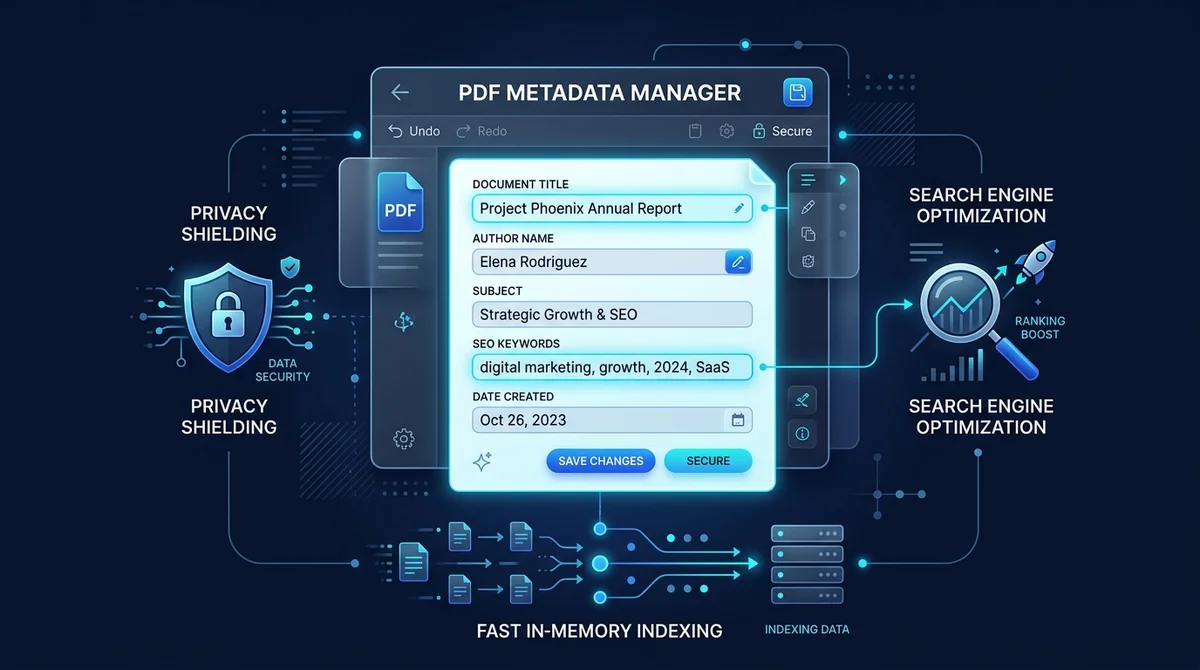
To edit PDF metadata online for free, you update the internal Document Information Dictionary and XMP property streams defined by the ISO 32000 standard. Using the AZ2PDF Edit PDF Metadata tool, you can correct document titles, author names, subjects, and search keywords directly in your browser with zero quality loss and complete memory privacy.
- Boost search visibility: Search engines and AI answer engines index the PDF title metadata tag rather than raw filenames, directly increasing click-through rates on public reports.
- Professional document presentation: Correcting metadata ensures browser tabs, mobile viewers, and desktop readers display polished document titles instead of draft filenames.
- Eliminate accidental data leaks: Clearing or updating creator signatures removes internal usernames, drafting software versions, and local server folder paths before public sharing.
- 100 percent free with instant in-memory processing: AZ2PDF updates metadata in server RAM within 5 milliseconds without subscription fees, account sign-ups, or file watermarks.
What is PDF metadata and where is it stored?
Every PDF file holds two layers of information. The first layer is the visible canvas that you see on your screen: paragraphs of text, company logos, vector lines, and digital photographs. The second layer is invisible during normal reading: hidden document properties known as PDF metadata.
PDF metadata acts as an embedded passport for your file. It describes essential background facts about the document: who wrote it, what it is called, when it was drafted, which application generated it, and what subject matter it covers. This information is stored inside the binary file structure in two primary locations defined by international document standards:
- The Document Information Dictionary (/Info): Established in the original PDF specification and codified in ISO 32000-1, this dictionary lives in the document trailer or root catalog. It stores simple key-value string pairs such as Title, Author, Subject, Keywords, Creator, and Producer.
- The Extensible Metadata Platform (XMP) stream: Standardized under ISO 16684-1, XMP stores structured XML packets inside the PDF catalog. It supports standardized schemas like Dublin Core (dc:title, dc:creator) and Adobe PDF properties, allowing enterprise content management systems and search crawlers to extract rich document context.
When you export a document from Microsoft Word, Google Docs, Adobe InDesign, or LaTeX, the authoring software automatically injects metadata into both locations. Without an easy way to inspect and edit these tags, your files may carry inaccurate, unprofessional, or confidential details into the public domain.
Optimize document SEO and corporate cataloging with the AZ2PDF Edit Metadata tool. It lets you update document titles, author names, subject summaries, and search keywords directly inside the PDF Info dictionary.
Optimize document SEO and corporate cataloging with the AZ2PDF Edit Metadata tool. It lets you update document titles, author names, subject summaries, and search keywords directly inside the PDF Info dictionary.
Why editing PDF metadata is essential for SEO and privacy
Many professionals treat PDF metadata as an afterthought, but overlooking it creates serious consequences across web search visibility, brand reputation, and operational privacy.
When search engines like Google, Bing, and AI research crawlers index a PDF file on the web, they look directly at the internal Title tag. If that tag contains a messy scratch name such as "Draft_v3_final_final.docx" or simply "Untitled", Google will frequently display that confusing text as the primary clickable headline in search results. By updating your Title metadata to a clean, descriptive headline, you dramatically improve click-through rates and topical authority.
Beyond search optimization, metadata directly shapes user perception. Modern web browsers like Chrome, Edge, and Safari, as well as desktop viewers like Acrobat, display the metadata Title in their browser tabs and application window headers. Opening a corporate financial report or client proposal only to see an old employee name or internal working title damages professional credibility.
Finally, metadata presents a hidden security and operational privacy risk. Document generators often record local operating system usernames, internal server folder pathways like C:\Users\jsmith\Projects\Confidential, local printer identifiers, and software build numbers. Editing or cleaning metadata before distributing files prevents competitive intelligence leaks and protects employee identity.
To keep all your documents optimized and secure, you can explore the full collection of free online PDF tools on AZ2PDF directly from your web browser.
Core PDF metadata properties: Title, author, subject, and keywords
Understanding what each standard metadata tag does helps you structure your documents effectively for both human readers and automated indexing robots:
- Title: The formal human-readable name of the document. This is the single most important metadata field. It appears in browser tab titles, PDF reader headers, and search engine result snippets. It should be concise, professional, and descriptive.
- Author: The individual writer, team, or corporate entity responsible for creating the content. For corporate whitepapers, press releases, or legal filings, you can set this to your company or agency name rather than an individual employee username.
- Subject: A brief one-sentence summary or abstract explaining what the document covers. Library indexing systems and enterprise databases use the Subject field to categorize files into content repositories.
- Keywords: Comma-separated or semicolon-separated terms that highlight key topics covered in the file. Desktop search utilities (such as Windows Search and macOS Spotlight) and website search engines use these keywords to locate files matching specific search queries.
- Creator and Producer: The Creator tag names the software used to author the original file (for example, Microsoft Word or LibreOffice), while the Producer tag identifies the conversion engine that compiled the final PDF (such as AZ2PDF High-Performance Sidecar).
How to edit PDF metadata online in 3 simple steps
Modifying document properties does not require expensive desktop software or complicated command-line utilities. With the dedicated AZ2PDF Edit PDF Metadata tool, you can update any PDF file in seconds:
- Upload your PDF document: Click the file selection area or drag and drop your PDF into the upload zone. AZ2PDF immediately inspects the document structure in your browser.
- Enter your updated properties: Type your desired Document Title and Author name into the input fields. You can replace messy draft names with polished titles, or clear fields completely if you prefer complete anonymity.
- Process and download: Click the update button. Our high-speed processing engine updates the internal document dictionary in memory, and your refreshed PDF downloads instantly to your device.
The entire workflow is 100 percent free with no subscription tiers, no usage caps, and no watermark stamps added to your pages.
To ensure clean bibliographic tagging, consider choosing to strip legacy tracking metadata before updating first to purge old software signatures before inserting approved corporate keywords.
How AZ2PDF updates metadata losslessly in memory
Many online PDF utilities handle metadata editing poorly. Some platforms re-render every page into compressed JPEG images before generating a new PDF, which blurs typography, breaks selectable text, strips clickable web links, and enlarges file size. Other websites pass files through slow print-to-PDF drivers that discard bookmarks and interactive form fields.
AZ2PDF takes a completely different technical approach. Our platform utilizes a dedicated high-performance Rust sidecar powered by memory-safe binary object libraries (lopdf). When you upload a file, the engine performs direct object stream manipulation:
- Direct dictionary updating: The engine locates the /Info dictionary object reference in the document catalog and modifies only the Title, Author, Creator, and Producer byte arrays.
- Zero raster re-compression: None of your document text streams, embedded vector fonts, vector graphics, or photographic images are re-encoded. Every page maintains 100 percent original mathematical sharpness.
- Hyperlink and structure preservation: Document outlines, table of contents bookmarks, form fields, and external web hyperlinks remain intact and functional.
- Sub-5-millisecond speed: Because the engine only updates lightweight metadata dictionaries rather than parsing complex page contents, processing completes in less than 5 milliseconds.
- In-memory ephemeral privacy: File bytes are processed in server RAM and automatically scrubbed by background cleanup daemons within 5 minutes. No permanent storage or tracking history is maintained.
To ensure clean bibliographic tagging, consider choosing to strip legacy tracking metadata before updating first to purge old software signatures before inserting approved corporate keywords.
Practical scenarios: Academic papers, corporate briefs, and public reports
Knowing when and how to update PDF metadata solves common challenges across multiple industries:
- Academic and scientific preprints: Before submitting research papers to arXiv, ResearchGate, or institutional repositories, setting precise Author names and publication Titles ensures academic citation indexers parse your work accurately.
- Corporate whitepapers and marketing reports: When publishing downloadable case studies or annual reports, replacing internal draft names with SEO-rich titles helps your content rank higher on Google search results.
- Legal filings and public contracts: Law firms often need to remove personal laptop usernames and internal file directory paths before submitting discovery briefs or filing public court documents.
- Digital books and user manuals: For eBooks, software manuals, and product catalogs, clean metadata ensures e-readers (such as Kindle, Kobo, or Apple Books) organize files neatly by title and author.
Take full command of document indexing properties using the AZ2PDF metadata editing and management hub, ensuring that your proprietary document catalogs are updated in complete privacy.
Troubleshooting metadata display issues in PDF readers
If you have updated your PDF metadata but still notice unexpected behavior, check these common technical factors:
- Viewer initial view preferences: Adobe Acrobat and Acrobat Reader have an internal preference under File Properties called Initial View. If the viewer is set to Show: File Name instead of Show: Document Title, the application window will display the file name even if valid Title metadata exists. Changing this setting will display the correct title.
- Encrypted or password-protected PDFs: If a document has owner password restrictions that lock document modification, metadata cannot be updated until the security permissions are removed. You can unlock authorized documents first before updating properties.
- Browser cache in PDF previewers: If you open a newly downloaded PDF inside a web browser tab that already has the previous version open, the browser may display cached header information. Refresh the browser tab or open the file in a new window to see the updated metadata.
Frequently asked questions
Find answers to common questions about modifying PDF metadata, document properties, and online privacy.
Take full command of document indexing properties using the AZ2PDF metadata editing and management hub, ensuring that your proprietary document catalogs are updated in complete privacy.
❓ Frequently asked questions
PDF metadata consists of hidden properties embedded inside the file, including Title, Author, Subject, Keywords, Creator application, and creation timestamps. Updating metadata ensures that search engines display an attractive title instead of a messy filename, web browser tabs show professional names, and sensitive personal computer usernames are removed.
Related articles in this topic
Deep dive into related document organization and page manipulation workflows.

How to make a PDF look scanned online for free (realistic paper effect)
Learn how to make digital PDFs look like physically scanned paper documents online for free. Add subtle tilt, paper grain, and grayscale contrast without a printer.

How to convert color PDF documents to grayscale black and white (free online)
Convert color PDF files to monochrome grayscale black and white online for free. Save printer ink, cut file size by up to 70%, and ensure compliance with zero cost.
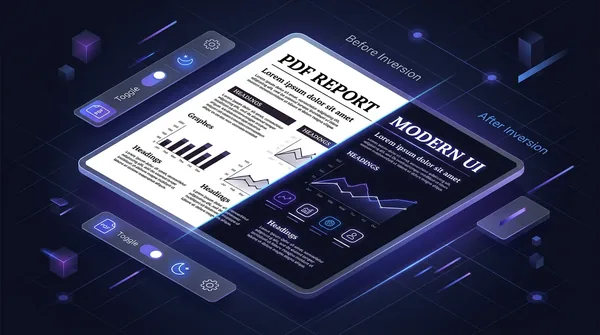
How to invert PDF colors for dark mode online (free and eye friendly)
Learn how to invert PDF colors to high-contrast dark mode online for free. Eliminate eye strain, save OLED battery, and keep vector text 100% sharp and searchable.

How to remove all images from a PDF file online for free (pure text and vectors)
Learn how to strip embedded raster images, photos, and backgrounds from PDF files online for free. Keep sharp vector text, save printer ink, and slash file sizes.

How to auto-redact sensitive data in a PDF for free (PII sanitization)
Learn how to automatically redact sensitive PII, credit card numbers, SSNs, and emails from PDF documents for free. Fast pattern detection with zero data leaks.
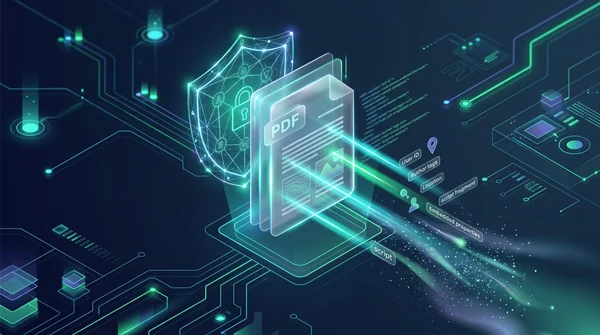
How to sanitize PDF files and wipe hidden author metadata (free and secure)
Learn how to sanitize PDF files by removing invisible author metadata, revision history, GPS tags, and dangerous JavaScript macros online. 100% free and private.