How to permanently redact sensitive information from a PDF for free

Quick summary
To permanently redact sensitive information from a PDF for free, use AZ2PDF Redact PDF to expunge targeted keywords, account numbers, and personal data directly from the document binary stream. Unlike visual black highlights that can be copied or bypassed, true redaction deletes underlying character glyphs and metadata, leaving zero recoverable data.
- True binary expungement: Permanently wipes confidential text characters from the PDF byte stream rather than merely covering them with a visual black box.
- Completely free with no limits: Redact unlimited legal exhibits, contracts, and financial statements without paying $240 per year for Adobe Acrobat Pro.
- Zero residual data: Removes targeted text from content streams and prevents copy-paste or script extraction from exposing private data.
- Ephemeral in-memory privacy: Files process in isolated temporary memory buffers and are purged automatically within 5 minutes, ensuring total client confidentiality.
Why drawing black boxes is a dangerous security trap
Every year, major corporations, legal teams, and government agencies suffer catastrophic data leaks from a single, avoidable mistake: thinking that drawing a black rectangle over confidential text makes it private.
In high-profile court cases, attorneys have submitted documents where classified names and secret testimony were covered using black highlighting tools or solid black shapes in standard word processors. Within minutes of these filings being made public, journalists and curious readers discovered that selecting the blacked-out area, pressing Ctrl+C, and pasting into a blank text document instantly revealed the secret information in plain text.
To understand why this happens, you need to understand how the Portable Document Format (PDF) manages content. A PDF is not a flat photographic image. Instead, it is an object-oriented document structure that organizes visual elements into distinct layers:
- The text layer: Characters, font definitions, and positioning coordinates stored in content streams using operators such as
TjandTJ. - The graphics layer: Vector lines, geometric paths, curves, and filled background rectangles.
- The annotation layer: Comments, sticky notes, form widgets, and interactive visual markups.
When you draw a black rectangle over a Social Security Number or banking detail in a typical PDF viewer, the software simply places a colored vector shape or an annotation box on top of the text layer. The underlying text remains 100 percent intact in the binary stream. Anyone with a basic web browser or PDF reader can copy the hidden text, turn off the annotation layer, or delete the rectangle object entirely.
In legal proceedings, healthcare administration, and corporate governance, failing to apply genuine redaction violates mandatory privacy regulations, including the Health Insurance Portability and Accountability Act (HIPAA), the European Union General Data Protection Regulation (GDPR), and federal court filing standards.
Never make the rookie mistake of covering text with a black rectangle; the AZ2PDF Redact PDF tool permanently purges underlying text characters, vector vectors, and metadata from the document binary to prevent digital extraction.
How true PDF redaction works under the hood
Under the international ISO 32000 standard for PDF technology, genuine redaction is not an optical mask. It is a permanent, destructive data expungement process.
When a document undergoes true redaction, the processing engine performs three distinct operations:
- Content stream sanitization: The engine parses the page's internal
/Contentsobject dictionary. It locates the specific character strings and glyph coordinates targeted for removal, completely deletes the underlying character codes, and rewrites the content stream so the original words no longer exist anywhere in the file bytes. - Visual block replacement: In place of the expunged text, the engine injects opaque redaction blocks (such as solid black bars or replacement glyph markers like █) directly into the page stream at the exact coordinates, visually signifying that confidential data was redacted.
- Metadata and structural cleansing: The engine removes references to the redacted text from search indexes, document outlines, bookmarks, form fields, and hidden XML metadata packets (such as Adobe XMP and Document Information dictionaries).
Once true redaction is executed and saved, no amount of copying, software manipulation, or forensic file recovery can restore the erased characters, because the binary data has been physically rewritten.
How to redact a PDF online for free in 3 simple steps
Step 1: Upload your PDF document
Open the Redact PDF tool and drag your file into the upload zone. The platform accepts documents containing contracts, tax statements, medical records, or employment files. The file is loaded securely into an isolated temporary memory buffer.
Step 2: Enter the sensitive terms to expunge
In the options panel, specify the exact words, names, account figures, or phrases you need to redact. You can enter multiple terms separated by commas, semicolons, or newlines. For instance, you can enter employee names, client identifiers, phone numbers, and compensation amounts in a single batch.
Step 3: Process and download your sanitized file
Click the Redact button. The high-performance Rust processing engine scans the document streams, expunges every instance of your specified terms, replaces them with opaque redaction blocks, and saves the cleaned document. Click Download to save your secure PDF. The resulting file contains zero trace of the original text, carries no watermarks, and is ready for public distribution or legal submission.
Comparing your options: In-memory web vs. Acrobat vs. print-and-scan
When preparing confidential documents for external distribution, professionals typically consider three different approaches. Understanding the trade-offs in security, cost, and document quality helps you make the right choice:
Option 1: In-memory online redaction (AZ2PDF)
Modern in-memory web redaction combines maximum security with zero financial cost. The tool operates with no account signups, no credit cards, and no usage limitations. Files are processed inside temporary RAM buffers and automatically expunged within 5 minutes by an automated purge daemon. It provides true ISO 32000 binary redaction without installing bulky software, working seamlessly across Windows, macOS, Linux, iOS, and Android.
Option 2: Commercial desktop software (Adobe Acrobat Pro)
Adobe Acrobat Pro provides comprehensive redaction tools, including search-and-redact features and metadata scrubbing. However, it requires a recurring subscription that exceeds $240 per year per user. For freelance professionals, small business owners, or teams that only need to redact documents periodically, this recurring fee represents unnecessary software overhead.
Option 3: Physical print, sharpie, and scan
Some office workers still resort to printing out PDF documents on paper, coloring over sensitive lines with a black marker or felt-tip pen, and then scanning the paper back to PDF. This method is slow, wasteful, and surprisingly dangerous. In many cases, high-resolution flatbed scanners or adjusted image contrast can reveal the text through dried marker ink. Furthermore, scanning degrades text quality from crisp vector type into fuzzy raster pixels, breaks selectable text, eliminates hyperlinks, and increases file size dramatically.
To guarantee complete anonymity beyond visual redaction, consider sanitizing document metadata and hidden history to wipe author usernames, revision timestamps, and indexing caches.
Redaction vs. auto-redaction vs. sanitization: Choosing the right workflow
The AZ2PDF platform offers multiple dedicated security utilities tailored for specific data confidentiality challenges:
1. Targeted keyword redaction (Redact PDF)
Ideal when you need precise control over specific sensitive strings, such as confidential project names, party surnames, specific invoice figures, or proprietary code names. It targets and permanently expunges exactly what you define.
2. Automated pattern redaction (Auto Redact PDF)
When dealing with lengthy archives containing hundreds of pages, manually finding every sensitive number is impractical. The Auto Redact tool uses intelligent regex pattern recognition to identify and scrub common standardized formats, such as Social Security Numbers, 16-digit credit card numbers, email addresses, and international phone numbers in a single automated pass.
3. Document metadata sanitization (Sanitize PDF)
Even after visible text is redacted, documents often retain hidden metadata. The Sanitize PDF tool scrubs document author names, software version strings, revision history, and GPS camera tags embedded in smartphone photos before you distribute files.
4. Annotation and form flattening (Flatten PDF)
If your document contains fillable form fields, checkboxes, or digital signatures, flattening burns all interactive inputs directly into the background graphics stream, preventing recipients from altering submitted numbers or modifying signature blocks.
5. Military-grade document encryption (Protect PDF)
When sending files over email or storing them on shared networks, applying AES-256 encryption with the Protect PDF tool ensures that only individuals possessing the authorized password can open and view the document contents.
Everyday documents that require permanent redaction
True PDF redaction is an essential operational requirement across numerous industries and everyday scenarios:
- Court filings and legal exhibits: Under federal and state court rules, attorneys are legally required to redact personal identifying information, including minor children names, birth dates, financial account numbers, and Social Security Numbers before filing public exhibits.
- Healthcare and medical records: Medical clinics and insurance providers must redact patient identifiers, insurance policy numbers, and treatment codes to comply with HIPAA privacy mandates before sharing case studies or research data.
- Corporate contracts and trade secrets: When sharing master service agreements or vendor proposals with third parties, finance officers routinely redact confidential pricing tiers, profit margins, and internal intellectual property clauses.
- Public records and FOIA requests: Government agencies handling Freedom of Information Act requests must withhold confidential informant identities, law enforcement methodologies, and classified operational procedures.
- Employment and resume sharing: Recruiters and human resource teams frequently redact candidate home addresses, phone numbers, and past salary figures before forwarding resumes to hiring committees to ensure unbiased evaluation.
Pre-sharing checklist: How to verify your redactions are permanent
Before emailing or publishing any redacted document, perform this quick four-point verification check to ensure that confidential data cannot be retrieved:
1. The search test (Ctrl+F)
Open the redacted PDF in your web browser or default PDF reader. Press Ctrl+F on Windows or Cmd+F on Mac and type the exact names or numbers you redacted. The search tool must report zero matches found.
2. The select and copy test
Click and drag your mouse cursor directly across the black redaction bar, or press Ctrl+A to select all content on the page. Copy the selection to your clipboard and paste it into a plain text editor like Notepad. Verify that no hidden characters appear in place of the redacted areas.
3. Check file properties and metadata
Open Document Properties in your PDF reader. Verify that the Author, Company, and Title fields do not inadvertently reveal private names or project codes that you intended to conceal.
4. Confirm visual alignment
Review the exported pages to confirm that all target figures are fully covered by solid redaction blocks and that no trailing digits or characters remain visible outside the masked boundaries.
Guarantee legal compliance and confidentiality using the AZ2PDF private PDF tools, where client-side memory destruction ensures sensitive data never travels over the web.
❓ Frequently asked questions
Yes. AZ2PDF Redact PDF is 100 percent free with no account registration, no credit card requirements, no file size limitations, and zero watermarks stamped on your sanitized documents.
Related articles in this topic
Deep dive into related document organization and page manipulation workflows.
How to password protect a PDF for free (AES-256 encryption)
Learn how to password protect and encrypt PDF files online for free using military-grade AES-256 encryption. Keep confidential contracts, bank statements, and payroll files private with zero watermarks.
How to unlock a password protected PDF online (remove security permanently)
Learn how to remove passwords and permission restrictions from authorized PDF files online for free. Decrypt your documents securely with zero watermarks.

How to add confidential and copyright watermarks to PDF online
Learn how to add custom text and transparent PNG logo watermarks to PDF files online for free. Configure opacity, angle, and position across all pages.
How to auto-redact sensitive data in a PDF for free (PII sanitization)
Learn how to automatically redact sensitive PII, credit card numbers, SSNs, and emails from PDF documents for free. Fast pattern detection with zero data leaks.
How to overlay and superimpose PDF documents online (free and secure guide)
Learn how to overlay PDF pages, add digital letterheads, stamp approval seals, and superimpose blueprint drawings online for free. Fast, secure, and private.
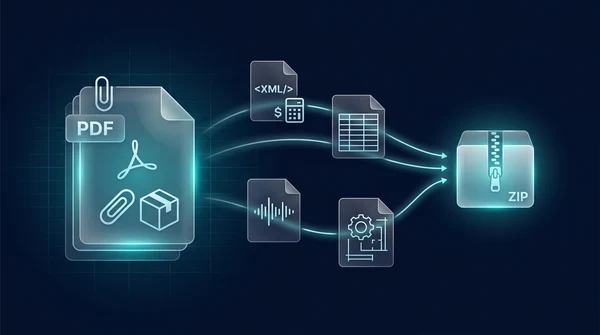
How to extract embedded file attachments from PDF (free and secure)
Learn how to extract hidden file attachments from PDF online for free. Unpack XML invoices, spreadsheets, datasets, and CAD files into a ZIP with full privacy.