How to crop PDF margins and trim page borders online for free

Quick summary
To crop a PDF online for free, you recalculate the internal page coordinate boundaries (the CropBox and MediaBox dictionaries) defined in the ISO 32000 standard. Using the AZ2PDF Crop PDF tool, you can visually trim outer margins, remove scanner borders, and focus on vital content directly in your web browser with zero quality loss, complete privacy, and no watermarks.
- Lossless vector preservation: Cropping updates coordinate bounding boxes rather than re-rendering or compressing raster pixels, keeping text glyphs and diagrams razor-sharp at any zoom level.
- Enhanced reading comfort on portable screens: Trimming excessive one-inch margins expands legible reading area on e-readers like Kindle and tablets by up to 140 percent.
- Instant thermal shipping label extraction: Cut 4x6 inch logistics labels out of standard A4 or Letter sheets for seamless thermal printing without wasted blank paper.
- 100 percent free with ephemeral memory privacy: Process documents without subscription fees, account registration, or advertising watermarks while automated daemons purge memory after 5 minutes.
Why PDF documents need margin cropping and framing
Digital documents are created under the legacy assumptions of physical paper. When word processors and desktop publishing applications export a Portable Document Format (PDF) file, they routinely enforce generous margins of one inch (72 points) or more around every page. Historically, these wide gutters existed to accommodate physical binders, staplers, three-ring hole punches, and mechanical printer feed grippers.
In modern digital workspaces, however, physical paper constraints often become digital obstacles. When you open a PDF with wide outer margins on a compact display (such as an Apple iPad, an Android smartphone, or an Amazon Kindle e-reader), those empty white margins consume up to 35 percent of the screen area. As a consequence, actual text paragraphs, data tables, and mathematical formulas are compressed into tiny, hard-to-read fonts, forcing you to constantly pinch, zoom, and pan across the page.
Beyond screen reading comfort, unwanted margins cause significant friction in everyday professional tasks:
- Scanner artifacts and dark borders: Sheet-fed office scanners and flatbed copiers frequently introduce black scan lines, shadowed edges, and skewed paper margins that make contracts, invoices, and academic dissertations look unpolished.
- Commercial print marks: Graphic designers and prepress operators often work with files containing bleed margins, trim marks, color calibration bars, and registration targets that must be cleanly removed before distributing digital proofs to executive clients.
- Oversized shipping labels: E-commerce platforms like Amazon FBA, eBay, Etsy, and Shopify frequently output 4x6 inch thermal shipping labels centered on full-size US Letter or A4 sheets, leaving huge amounts of empty white paper that jam thermal printers or waste expensive adhesive labels.
- Academic articles with multi-column layouts: Research papers published in IEEE, Springer, or Nature often feature headers, footers, page numbers, and broad margins that distract from core charts, diagrams, and proof equations.
Cropping your PDF restores visual balance. By trimming excess margins and focusing squarely on meaningful content, you transform clumsy, paper-oriented files into responsive, comfortable, and professional digital assets.
Eliminate excessive whitespace, scanner shadows, and oversized margins with the AZ2PDF Crop PDF tool. Its interactive cropping box lets you trim individual pages or apply unified crop coordinates across entire multi-page chapters.
Understanding PDF page geometry: MediaBox versus CropBox
To understand why cropping a PDF produces superior results compared to cropping a standard image, it helps to examine the underlying architecture of the format. A PDF file is not a flat bitmap of colored pixels; it is an object-oriented document structure defined internationally by the ISO 32000 standard.
Under the ISO 32000 specification, every page object within a PDF contains up to five distinct rectangular boundaries, known collectively as page bounding boxes:
- MediaBox: The mandatory foundation of the page. It defines the physical boundaries of the medium onto which the page is intended to be printed, such as standard US Letter (612 by 792 points) or standard A4 (595.28 by 841.89 points).
- CropBox: The region of the page that PDF rendering engines (such as Adobe Acrobat, Google Chrome, and Apple Preview) actually display on screen and print by default. If a CropBox is explicitly defined, viewers clip any graphic elements that lie outside its coordinates.
- BleedBox: Used in professional production printing to define the region to which page contents must be clipped when output in a production environment, accommodating paper trimming tolerances.
- TrimBox: Specifies the intended finished dimensions of the page after commercial cutting and bindery operations.
- ArtBox: Defines the extent of the meaningful content of the page, such as a solitary figure, chart, or advertisement surrounded by whitespace.
When you use the free AZ2PDF Crop PDF tool, the engine recalibrates the internal /CropBox and /MediaBox coordinate arrays in the page dictionary. Because this process merely adjusts geometric coordinates, the embedded typographic font glyphs, vector illustrations, and high-resolution photo streams remain completely untouched. There is zero generational loss, zero pixelation, and no fuzzy compression artifacts.
Visual cropping versus destructive cropping: Essential privacy facts
A critical consideration in document engineering is the distinction between visual viewport cropping and permanent destructive cropping. Understanding this difference is vital when handling sensitive personal, legal, or financial information.
Visual boundary cropping (The standard viewport mask)
In standard PDF workflows, including default operations in Adobe Acrobat and macOS Preview, cropping is non-destructive. When you adjust the crop boundaries, the software simply updates the four numbers of the /CropBox array (for example, /CropBox [36 45 540 720]). The PDF reader creates an invisible viewing mask that hides everything outside that rectangle.
However, the underlying data outside the crop box remains physically stored inside the file /Contents stream. If someone opens your cropped PDF in specialized vector editing software, inspects the raw text streams, or programmatically resets the CropBox back to the MediaBox, any hidden notes, private marginal comments, or cropped background graphics can still be retrieved.
Destructive cropping and content purging
Destructive cropping, on the other hand, permanently clips and purges objects located outside the specified boundary. In high-security environments, you must ensure that confidential data (such as bank account numbers, personal phone numbers, or proprietary margin notes) cannot be resurrected by recipients.
How to crop PDF pages online in 3 simple steps
Trimming excess margins, removing scanner borders, and framing your pages takes just a few seconds using AZ2PDF free online PDF tools. The utility runs directly in your web browser with no software installation, no account registration, and zero promotional watermarks. Here is the straightforward process:
Step 1: Upload your PDF document
Navigate to the Crop PDF tool in any modern browser on your desktop computer, laptop, tablet, or smartphone. Drag and drop your PDF into the upload area, or click the file selection button to pick the document from your local storage drive.
Step 2: Define your crop boundaries
Once your file loads into the workspace, you can define your new page boundaries using intuitive visual controls:
- Interactive visual bounding box: Click and drag the corner and edge handles directly on the page preview to frame the exact area you want to keep.
- Precise numeric offsets: Enter exact trimming values (in millimeters or points) for the top, bottom, left, and right margins to remove identical borders systematically.
- Scope selection: Choose whether to apply the crop boundaries exclusively to the current active page or replicate the margin cut across all pages in the entire document.
Step 3: Apply the crop and download your trimmed file
Click the Apply Crop button. The processing engine recalibrates the coordinate dictionaries in high-speed memory within fractions of a second. Click Download to save your clean, watermark-free PDF directly to your device, ready for reading, archiving, or printing.
If trimming altered your document proportions and you need to fit the pages back onto standard paper sizes, you can easily scale and resize PDF pages.
High-impact use cases: E-readers, shipping labels, and academic research
While generic image cropping is common, cropping PDF documents offers distinct advantages across diverse specialized workflows:
1. Optimizing academic textbooks and journal articles for Kindle and Kobo
Standard academic papers, dissertations, and technical manuals are formatted for physical Letter or A4 sheets, leaving broad 1-inch margins on all four sides. On a 6-inch or 7-inch e-ink screen (such as an Amazon Kindle Paperwhite or Kobo Clara), these margins force the text into tiny, eye-straining proportions. By trimming the blank borders, you can enlarge the effective font size by 30 to 45 percent, transforming unreadable two-column research papers into comfortable, distraction-free reading material.
2. Preparing thermal shipping labels for e-commerce fulfillment
Sellers on Amazon FBA, eBay, Etsy, and Shopify frequently download packing slips and carrier shipping labels formatted on full 8.5x11 inch pages, even though the actual shipping barcode occupies only a 4x6 inch box in the upper corner. Feeding an uncropped full-page PDF into a dedicated thermal label printer (such as a Rollo, Zebra, or Munbyn printer) results in shrunken, unreadable barcodes or wasted label rolls. Cropping directly around the 4x6 label geometry produces an exact, print-ready file that prints instantly at crisp native resolution.
3. Removing scanner black lines and feed roller smudges
When physical documents are processed through high-speed automatic document feeders (ADF), minor sheet skew or scanner sensor misalignment often causes thick black borders along the edges of the digitized PDF. These dark borders waste printer toner and make client-facing proposals look unprofessional. Cropping just 3 to 5 millimeters off the outer perimeter cleans up the document completely, giving digitized paperwork the pristine look of a native digital file.
4. Isolating technical diagrams, financial tables, and blueprints
When preparing executive presentations, research reports, or patent applications, you often need to extract a solitary architectural schematic, financial balance sheet, or molecular diagram embedded inside a 200-page regulatory dossier. Instead of taking a low-resolution screen capture, cropping the vector PDF page isolates the graphic while preserving crystal-clear vector line art and searchable text at infinite zoom.
Following margin trimming, you can conveniently rescale page dimensions to standard paper formats to adapt the trimmed bounding box to standard ISO A4 or US Letter dimensions for flawless physical printing.
Comparing your options: Free browser tool vs. Adobe Acrobat vs. OS utilities
When deciding how to crop your PDF pages, several technical methods exist. Understanding the strengths and trade-offs of each approach helps you select the best tool for your workflow and budget:
Option 1: AZ2PDF Crop PDF online
The fastest and most accessible solution for modern users. AZ2PDF requires zero software installation, operates on Windows, macOS, Linux, iOS, and Android, and is 100 percent free without paywalls, usage quotas, or watermarks. Processing executes in ephemeral RAM memory for complete privacy, providing instant downloads without bogging down your computer hardware.
Option 2: Commercial desktop suites (Adobe Acrobat Pro)
Adobe Acrobat Pro provides comprehensive page box management under its Set Page Boxes tool. However, Acrobat Pro requires a costly recurring subscription exceeding $239 per year, alongside hefty local disk space and background system services. For everyday professionals, students, and small business owners who simply need to trim document margins, paying steep monthly software fees is an unnecessary overhead.
Option 3: Operating system print-to-PDF virtual printing
Some users attempt to adjust page margins by opening a PDF in a web browser or basic viewer and choosing Print followed by Save as PDF with customized scaling. While this workaround is free, it introduces severe document degradation: virtual printing frequently strips out clickable hyperlinks, erases internal document bookmarks, flattens interactive form fields, and can subtly alter typographic font kerning.
Privacy first: Why ephemeral memory processing safeguards your files
PDF documents submitted for margin adjustment frequently contain sensitive personal, commercial, and legal records: confidential financial ledgers, medical lab reports, court filings, and proprietary engineering designs. Protecting this information from unauthorized access, indexing, or permanent storage is essential.
Many legacy web conversion sites upload your files to permanent server hard drives, retain documents for days, or log user activity. Some questionable platforms even monetize free traffic by feeding uploaded user files into commercial machine learning training datasets without explicit consent.
At AZ2PDF, privacy is embedded directly into our system architecture:
- Ephemeral in-memory buffers: All document cropping operations run strictly inside volatile RAM allocations. Files are never written to permanent disk storage, external databases, or long-term caching buckets.
- Automated 5-minute cleanup daemon: An automated background daemon scans and purges all temporary memory buffers within five minutes of task completion, ensuring that no trace of your document lingers on our infrastructure.
- Zero account requirements: You never need to supply an email address, create a password, or provide billing details. You remain completely anonymous from start to finish.
- No promotional watermarks: Unlike freemium tools that stamp oversized advertising logos over your cropped pages to force paid upgrades, AZ2PDF delivers 100 percent clean, professional documents.
Connected workflows: Flattening, organizing, and compressing your cropped PDF
Once you have trimmed your document margins to perfection, you can seamlessly connect your file to other free tools across the AZ2PDF ecosystem to prepare it for final delivery:
- Lock margins and destroy hidden data: If you cropped out sensitive comments or personal numbers, use our companion AZ2PDF Flatten PDF tool to lock the visible bounding box permanently into static vector graphics, eliminating hidden objects beyond retrieval.
- Shrink file size for email delivery: If your cropped document originated from high-resolution scanner feeds, use the AZ2PDF Compress PDF tool to downsample excessive DPI while keeping text razor-sharp, reducing file sizes by up to 80 percent.
- Reorder and assemble multi-page documents: If you cropped individual charts or receipts destined for a larger dossier, arrange them in sequential order pass it through the AZ2PDF OCR PDF tool to generate a searchable text layer for instant Ctrl+F keyword lookups.
Prepare cleanly trimmed publications effortlessly through the AZ2PDF browser-based document toolkit, where local document adjustments guarantee zero file leakage and zero wait times.
Frequently asked questions
❓ Frequently asked questions
Yes. The tool is 100 percent free with unlimited access, zero subscription charges, no account creation requirements, and no promotional watermarks stamped onto your pages.
Related articles in this topic
Deep dive into related document organization and page manipulation workflows.
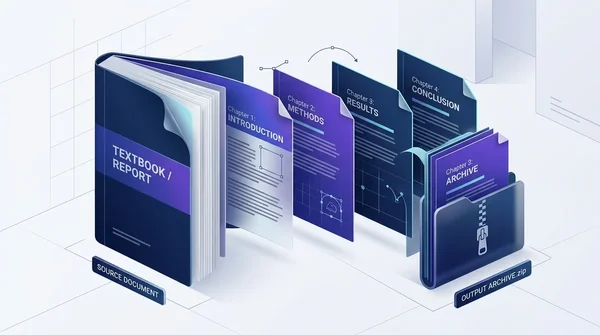
How to split a PDF by chapters online for free (clean and private)
Learn how to split large PDF books, manuals, and documents into separate chapter files online for free. Fast, private in-browser processing with organized ZIP output.
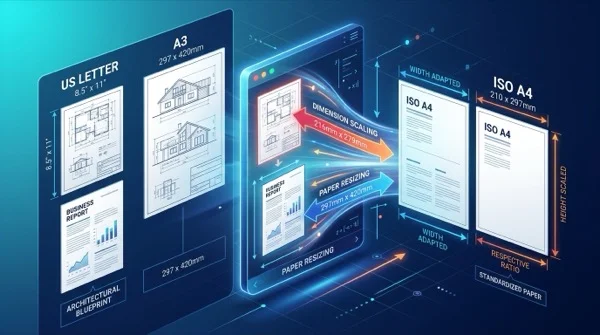
How to scale PDF pages online to standard paper sizes (free and sharp)
Learn how to scale PDF pages to standard paper sizes like A4, Letter, and A3 online for free. Fix printer margin cut-offs with 100% sharp vector typography.

How to print multiple PDF pages on one sheet (free N-Up tool)
Learn how to combine 2, 4, or more PDF pages onto a single sheet for easy printing and handouts. Save paper, preserve vector quality, and process files 100% free and privately.
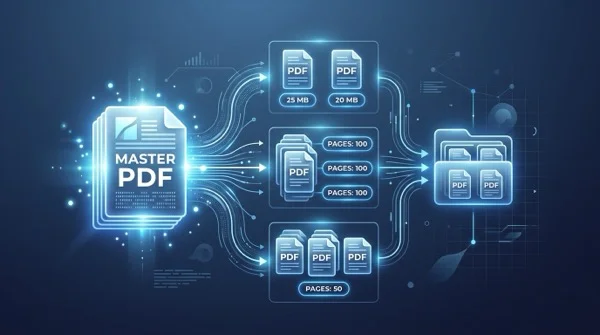
How to split a PDF by size or page count (free online)
Learn how to split large PDF files into smaller chunks by target size or page count online for free. Divide oversized documents for email and portals in seconds.
How to rotate and save PDF pages permanently online for free
Learn how to rotate sideways or upside-down PDF pages and save them permanently for free online. Fast, secure, and preserves 100% original document quality.
How to convert SVG to PDF online without losing vector quality
Learn how to convert SVG graphics to crisp vector PDF documents online for free. Keep Bézier curves, text fonts, and transparency without Adobe Illustrator.