How to convert PDF to XML online for free (structured data with coordinates)
Quick summary
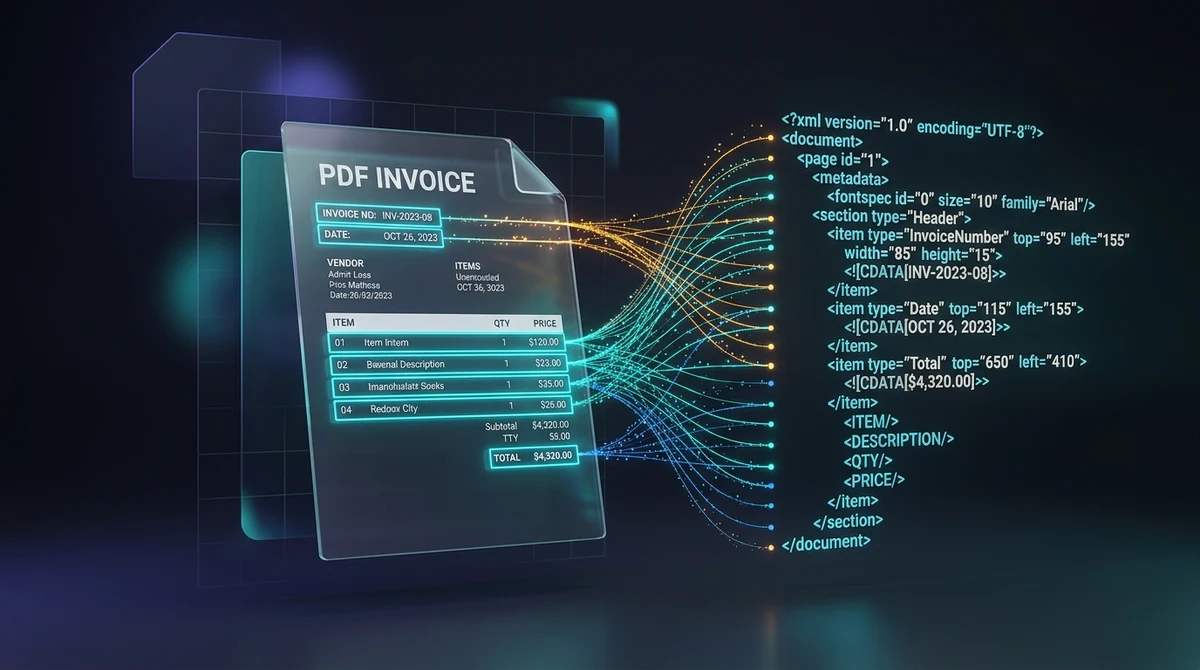
To convert a PDF to XML online for free, you transform visual document layouts into hierarchical Extensible Markup Language tags containing absolute spatial coordinates (top, left, width, height) and font specifications. Using the AZ2PDF PDF to XML converter, data engineers, developers, and analysts can extract structured machine-readable text nodes in seconds with zero software installation, 100 percent free access, and complete memory privacy.
- Preserve spatial coordinates: Every text element is tagged with exact bounding box attributes (top, left, width, height) and font specs, enabling precise coordinate-based data extraction.
- Machine-readable hierarchical data: Transforms rigid visual pages into structured XML nodes (page, fontspec, text) ready for automated ingestion into Python, Node.js, and ERP systems.
- Essential for invoices and automated ETL: Perfect for parsing multi-column financial statements, B2B invoices, and government tax forms without losing spatial relationships.
- 100 percent free with instant in-memory processing: AZ2PDF processes your files directly in volatile server RAM with zero fees, no account requirements, no watermarks, and automatic data purging within 5 minutes.
The data extraction problem: Why PDFs trap business information
In modern enterprise computing, the Portable Document Format (PDF) is both a blessing and a curse. Standardized globally under ISO 32000, PDF is brilliant at visual presentation: it locks words, vector graphics, and margins into an exact replica of a printed page. Whether viewed on a smartphone, a high-end workstation, or an office laser printer, the document looks identical.
However, what makes PDF ideal for human reading makes it notoriously difficult for computer automation. A PDF file does not store semantic data trees like a database table or a spreadsheet. It does not inherently know what a "row", "column", "subtotal", or "invoice number" is. Instead, it stores raw graphical drawing commands: instructions like draw this character string at coordinate X=150, Y=720.
When software developers or data engineers attempt to extract information using standard text dump utilities, disaster strikes:
- Multi-column tables collapse into single, scrambled text streams.
- Headers, footers, and page numbers blend randomly into table contents.
- Spatial relationships (such as knowing that a dollar amount sits directly below a "Tax Due" label) vanish completely.
Converting your PDF into structured Extensible Markup Language (XML) solves this challenge by capturing both the text and its exact spatial geometry in a machine-readable hierarchy.
Convert human-readable documents into structured machine-readable datasets with the AZ2PDF PDF to XML converter. It parses bounding coordinates, typographic attributes, and semantic hierarchies into standard XML tags.
Convert human-readable documents into structured machine-readable datasets with the AZ2PDF PDF to XML converter. It parses bounding coordinates, typographic attributes, and semantic hierarchies into standard XML tags.
What is PDF to XML conversion and what does the output look like?
PDF to XML conversion takes the visual layout of a document and translates it into an organized XML object model following standard Document Type Definitions (such as Poppler pdf2xml). Rather than dumping text into a flat stream, the conversion engine groups elements by page, maps font properties, and tags each text fragment with bounding box coordinates.
Here is an authentic snippet of what the resulting XML syntax looks like:
<?xml version="1.0" encoding="UTF-8"?>
<!DOCTYPE pdf2xml SYSTEM "pdf2xml.dtd">
<pdf2xml producer="poppler" version="24.08.0">
  <page number="1" position="absolute" top="0" left="0" height="1188" width="918">
    <fontspec id="0" size="14" family="Helvetica" color="#000000"/>
    <fontspec id="1" size="10" family="Helvetica" color="#333333"/>
    <text top="95" left="155" width="220" height="16" font="0"><b>INVOICE #INV-2026-0924</b></text>
    <text top="120" left="155" width="85" height="12" font="1">Date: 2026-09-24</text>
    <text top="650" left="410" width="95" height="14" font="0"><b>Total: $4,320.00</b></text>
  </page>
</pdf2xml>
In this structured output, your automated scripts no longer need to guess where information belongs. By parsing the top, left, width, and height attributes, any software application can instantly locate data based on exact spatial coordinates.
To explore additional conversion and document optimization tools for your technical stack, visit AZ2PDF free online PDF tools directly in your web browser.
Spatial coordinates: Understanding top, left, width, height, and fontspec
The true power of XML extraction lies in its rich geometric metadata. Understanding how these XML attributes work enables you to build resilient, automated data pipelines:
- Page boundary definitions: The root
<page>element specifies the physical canvas dimensions (such aswidth="918" height="1188"for standard points), establishing a coordinate grid for all child elements. - fontspec declarations: The engine indexes all typography used across the document, assigning unique IDs (
font="0",font="1"). Each<fontspec>defines the font family (such as Times, Helvetica, Arial), point size, and hex color code. This allows scripts to distinguish major headings from small body footnotes automatically based on font size. - top and left coordinates: The
topattribute indicates the vertical distance in points from the top edge of the page down to the text baseline. Theleftattribute marks the horizontal offset from the left page margin. - width and height attributes: These define the bounding box dimensions of the text block, making it effortless to calculate column boundaries and determine whether two text items sit on the same horizontal line.
- Inline typography tags: Bold (
<b>) and italic (<i>) styling is preserved directly within text nodes, helping parsers recognize emphasized key-value labels.
How to convert PDF to XML online in 3 simple steps
Step 1: Upload your PDF document
Open the free PDF to XML tool on AZ2PDF. Drag and drop your PDF invoice, financial statement, or technical report into the upload box, or click to choose files from your local storage.
Step 2: Let the Rust-powered engine extract spatial data
Our high-performance processing backend analyzes the PDF object stream in volatile server RAM. It maps text runs, calculates bounding box geometries, captures font dictionaries, and compiles a clean, valid XML tree.
Step 3: Download your structured XML file
Click Download to save your newly formatted .xml file. Open it immediately in your favorite IDE (such as VS Code) or feed it directly into your backend data ingestion pipeline, with zero account sign-up and no watermarks added.
When validating semantic tag structures against raw document output, you can also extract plain text streams for rapid previewing to inspect unformatted textual paragraphs side-by-side.
When validating semantic tag structures against raw document output, you can also extract plain text streams for rapid previewing to inspect unformatted textual paragraphs side-by-side.
High-value use cases: Invoices, ETL pipelines, and Document AI training
Converting PDF to XML serves as the foundational backbone for high-volume automated data workflows across several key industries:
- Automated accounts payable and invoice processing: Accounting systems process thousands of vendor invoices monthly. Because each vendor uses a different invoice design, standard regex parsers fail frequently. With XML, scripts can target specific coordinate zones (for example, extracting whatever text appears in the top-right quadrant where invoice numbers and due dates reside).
- ETL (Extract, Transform, Load) pipelines: Enterprise data warehouses regularly ingest quarterly financial reports, insurance claims, and government census documents. XML provides a universal, platform-agnostic format that integrates seamlessly into Apache Spark, Python Airflow, and database loaders.
- Training Document AI and LayoutLM models: Modern layout-aware machine learning models (like LayoutLM, DocFormer, and Donut) require both text tokens and 2D bounding boxes to understand document layouts. The coordinate-rich XML produced by AZ2PDF provides ready-made spatial inputs for training document classifiers.
- B2B Electronic Data Interchange (EDI): Legacy enterprise systems (SAP, Oracle, Odoo) require structured data formats for automated order fulfillment. Converting customer PDF purchase orders to XML bridges the gap between human-readable documents and automated ERP processing.
Practical parsing: Using Python, lxml, and XPath on your converted XML
Once you have downloaded your XML file, writing a script to extract specific fields is straightforward. Here is a brief Python example demonstrating how to extract table data @left, and @font, you can build extraction rules that remain reliable even when document layouts undergo minor revisions.
Accelerate enterprise data extraction pipelines using the AZ2PDF technical document conversion toolkit, which processes technical conversions locally in your browser with zero remote storage.
Troubleshooting: Scanned documents, OCR, and complex vector layouts
To ensure smooth automation when processing diverse document collections, keep these technical troubleshooting guidelines in mind:
1. Scanned paper documents with no digital text
If your PDF was created by an office scanner or fax machine without optical character recognition, the file contains flat photograph bitmaps. Because the XML converter extracts native vector text strings, running an image-only PDF will generate an empty XML structure. To solve this, pass your document through the AZ2PDF OCR PDF tool first to generate an invisible text layer with character coordinates, after which XML conversion will function flawlessly.
2. Tabular data extraction to spreadsheet formats
3. Handling large multi-page PDF archives
When processing hundreds of pages, uncompressed XML files can become extensive in byte size due to verbose coordinate attributes. If you need to store or email large converted archives, compress your files or optimize the original PDFs employee tax forms, supplier purchase orders, and proprietary contracts contain critical business secrets. When selecting an automated conversion tool, data security and confidentiality must never be compromised.
Unlike third-party platforms that retain user files on permanent disk drives, log transaction records, or sell data to advertisers, AZ2PDF enforces rigorous security protocols:
- Ephemeral in-memory processing: Document parsing, Poppler coordinate calculation, and XML tree construction execute strictly within temporary volatile server RAM. Files are never stored on permanent hard disks.
- Automated 5-minute purge daemon: A dedicated background daemon runs continuously across our systems, permanently deleting all temporary processing buffers within five minutes of completion.
- 100 percent free with no account registration: You never need to supply an email address, enter credit card details, or create an account. You remain completely anonymous from start to finish.
- Zero advertising watermarks: Your XML output is 100 percent clean and compliant with standard DTDs. We never insert promotional comments, advertising tags, or trial notices.
Accelerate enterprise data extraction pipelines using the AZ2PDF technical document conversion toolkit, which processes technical conversions locally in your browser with zero remote storage.
❓ Frequently asked questions
Plain text conversion strips away all spatial information, flattening words into a continuous stream where tabular columns and headers blend together. CSV requires neat grid lines to parse rows accurately. XML captures the exact physical location of every word on the page using bounding box attributes (top, left, width, height), allowing programmatic parsers to extract data based on coordinate zones regardless of table styling.
Related articles in this topic
Deep dive into related document organization and page manipulation workflows.
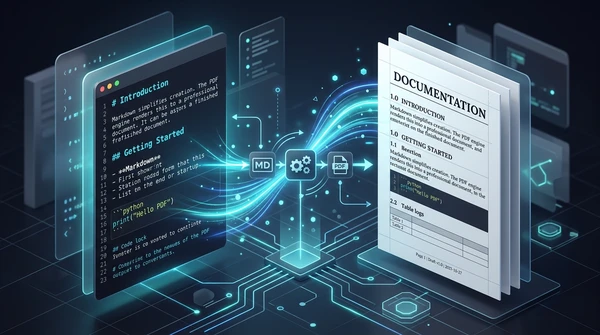
How to convert Markdown to PDF online for free (clean print typography)
Learn how to convert Markdown (.md) documents into clean, print-ready PDF files online for free. Keep headings, code blocks, lists, and full privacy in your browser.

How to convert EPUB to PDF online for free (clean pages and table of contents)
Learn how to convert EPUB ebooks to clean, printable PDF documents online for free. Preserve chapter navigation, cover art, and typography with zero software.
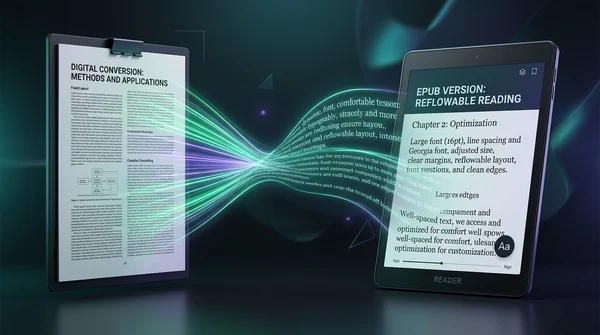
How to convert PDF to EPUB online for free (reflowable text for e-readers)
Learn how to convert PDF documents to reflowable EPUB ebooks online for free. Read comfortably on Kindle, Kobo, and Apple Books without pinch-to-zoom fatigue.
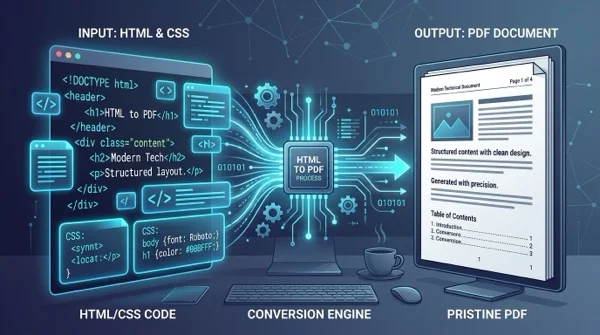
How to convert HTML files to PDF online without losing formatting
Learn how to convert HTML files and CSS styles into print-ready PDF documents online for free. Maintain exact fonts, page breaks, and layout without watermarks.
How to detect and remove blank pages from scanned PDFs online
Learn how to automatically detect and remove blank pages from scanned PDFs online for free. Eliminate empty duplex scan pages without quality loss or manual editing.

How to convert PDF to ISO-standard PDF/A for long-term archiving
Learn how to convert PDF documents to ISO 19005-compliant PDF/A format online for free. Embed fonts, standardize color spaces, and ensure permanent preservation.