How to reorder and rearrange PDF pages online (free and secure)

Quick summary
Reordering PDF pages is the process of altering the sequence of page dictionaries within an ISO 32000 compliant document without re-encoding existing text, graphics, or vector fonts.
- Zero quality loss: Rearranging pages updates the internal document page tree catalog without rasterizing or recompressing embedded images.
- Visual and custom range modes: Drag and drop page thumbnails visually or input comma-separated ranges for hundred-page documents.
- Complete privacy: File processing runs in memory with automated cleanup, ensuring sensitive business records remain confidential.
- Free document workflows: No software installation, subscriptions, or credit card requirements on AZ2PDF.
Why document page sequencing matters
In legal proceedings, corporate audits, and executive presentations, document order directly influences comprehension and professional credibility. When duplex scanners invert page sequences or multiple team members submit out-of-order appendices, manual reconstruction in desktop software can be cumbersome and error-prone.
Fix out-of-order scans and reorganize presentation decks effortlessly with the AZ2PDF Reorder PDF tool. Its visual thumbnail grid lets you drag, drop, rotate, and re-sequence pages interactively in real time.
Technical architecture: ISO 32000 page tree restructuring
Standard PDF viewers frequently manipulate page appearance temporarily through viewport display buffers. However, permanent restructuring requires updating the underlying document catalog. In the ISO 32000 specification, pages are organized hierarchically as leaf nodes within a /Pages tree dictionary.
When you reorder pages with AZ2PDF, the engine modifies the indirect object pointers in the /Kids array and recalculates the cross-reference (xref) table. Because content streams, embedded TrueType fonts, and bitmap XObjects remain completely untouched, the process is 100% lossless. Vector line art and high-resolution photographs retain identical fidelity before and after resequencing.
Step-by-step instructions to reorder pages
Organizing shuffled PDF documents takes only a few seconds through our browser interface:
- Navigate to the Reorder PDF tool and drag your multi-page document into the upload sandbox.
- Use the visual grid of page thumbnails to drag sheets into your preferred chronological or thematic order. Alternatively, type exact page sequences into the custom range input.
- Click Save and download your newly structured document immediately with pristine vector fidelity.
Once your pages are arranged in the correct narrative order, remember to insert sequential page numbers across your new page sequence so that headers and footers reflect the updated sequence.
If you identify redundant sheets or blank scans during the process, you can easily remove unwanted pages from the PDF.
Common practical use cases
Document reordering is critical across various operational environments:
- Duplex scanner correction: Reverse backwards-scanned two-sided contracts in one swift action.
- Tender bid preparation: Place executive summaries, pricing sheets, and compliance certificates ahead of technical specifications.
- Academic and research papers: Move delayed bibliographies and data charts into proper citation appendices.
Reorganize document pagination smoothly through the free browser-based PDF platform, ensuring rapid client-side visual sorting with zero server uploads.
❓ Frequently asked questions
No. The reordering process only updates the document's internal /Pages tree pointers. Text streams, embedded fonts, and raster images are completely untouched.
Related articles in this topic
Deep dive into related document organization and page manipulation workflows.
How to rotate and save PDF pages permanently online for free
Learn how to rotate sideways or upside-down PDF pages and save them permanently for free online. Fast, secure, and preserves 100% original document quality.

How to split PDF pages into separate documents (free and secure)
Learn how to split PDF files into separate documents or extract specific page ranges online without Adobe Acrobat. Fast, free, and completely private.

How to merge PDF files into one document online (free and secure)
Learn how to combine multiple PDF files into one organized document online without Adobe Acrobat. Fast, free, and secure with zero quality loss.

How to crop PDF margins and trim page borders online for free
Learn how to crop PDF margins and trim unwanted borders online for free. Adjust page boundaries for Kindle, shipping labels, and academic papers with zero quality loss.
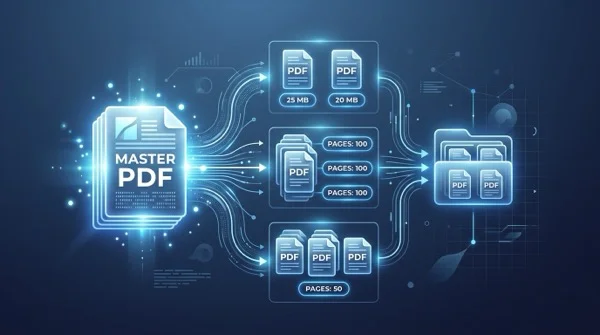
How to split a PDF by size or page count (free online)
Learn how to split large PDF files into smaller chunks by target size or page count online for free. Divide oversized documents for email and portals in seconds.

How to convert multi-page PDF to a single continuous page (free online tool)
Convert multi-page PDF documents into one continuous vertical scrolling page. Remove artificial page breaks, preserve vector text quality, and process files 100% free in your browser.